Employee Utilization Rate Calculator
Calculate employee utilization rate instantly with our utilization rate calculator to analyze productivity, billable hours, and optimize workforce efficiency.
What is Utilization Rate Calculator?
A utilization rate calculator is a tool used to measure resource efficiency by calculating the percentage of available time spent on revenue-generating activities. It determines utilization by dividing the actual time used for billable work by the total available working time, helping organizations evaluate productivity, capacity, and operational performance.
The primary purpose of a utilization rate calculator is to help organizations understand how effectively their resources are being used. By measuring the time spent on productive or billable activities, you identify unused capacity, balance workloads, and improve resource planning.
The importance of the utilization rate calculator lies in its ability to support better decision-making and operational efficiency. It helps businesses increase productivity, control costs, and maintain profitability while ensuring resources are neither overworked nor underutilized. This insight allows organizations to optimize performance and achieve sustainable growth.
Why Should You Use a Utilization Rate Calculator?
Better productivity starts with better visibility. A utilization rate calculator helps you understand how work hours are used and where improvements can be made. Here’s why it’s worth using.
Improves Resource Efficiency
The utilization rate calculator helps you understand how effectively your employees, equipment, or other resources are being used. Identifying idle or underutilized time helps increase productivity and minimize wasted capacity.
Enhances Productivity Monitoring
Tracking utilization gives you clear visibility into how working hours are spent. You can distinguish between productive and non-productive activities, helping you evaluate performance more accurately and improve workflow management.
Supports Better Workforce Planning
Utilization rate calculator data allows you to allocate tasks easily and balance workloads across your teams. This helps you prevent employee burnout while ensuring available resources are fully utilized.
Increases Profitability
Since utilization often focuses on billable or revenue-generating activities, measuring it helps you understand how efficiently time translates into revenue. With this insight, you can make smarter financial and operational decisions.
Identifies Operational Gaps
An employee utilization rate calculator helps you find inefficiencies such as excessive downtime, scheduling issues, or misaligned resource allocation. You can then take corrective steps to improve processes and overall operations.
Enables Data-Driven Decision Making
Instead of relying on assumptions, you can use utilization data to guide hiring, project planning, budgeting, and capacity management decisions with greater confidence.
Maintains Sustainable Performance
Monitoring utilization helps you ensure resources are used efficiently without being overworked or underused. Maintaining this balance supports long-term productivity, employee well-being, and consistent organizational performance.
How to Use the Utilization Rate Calculator
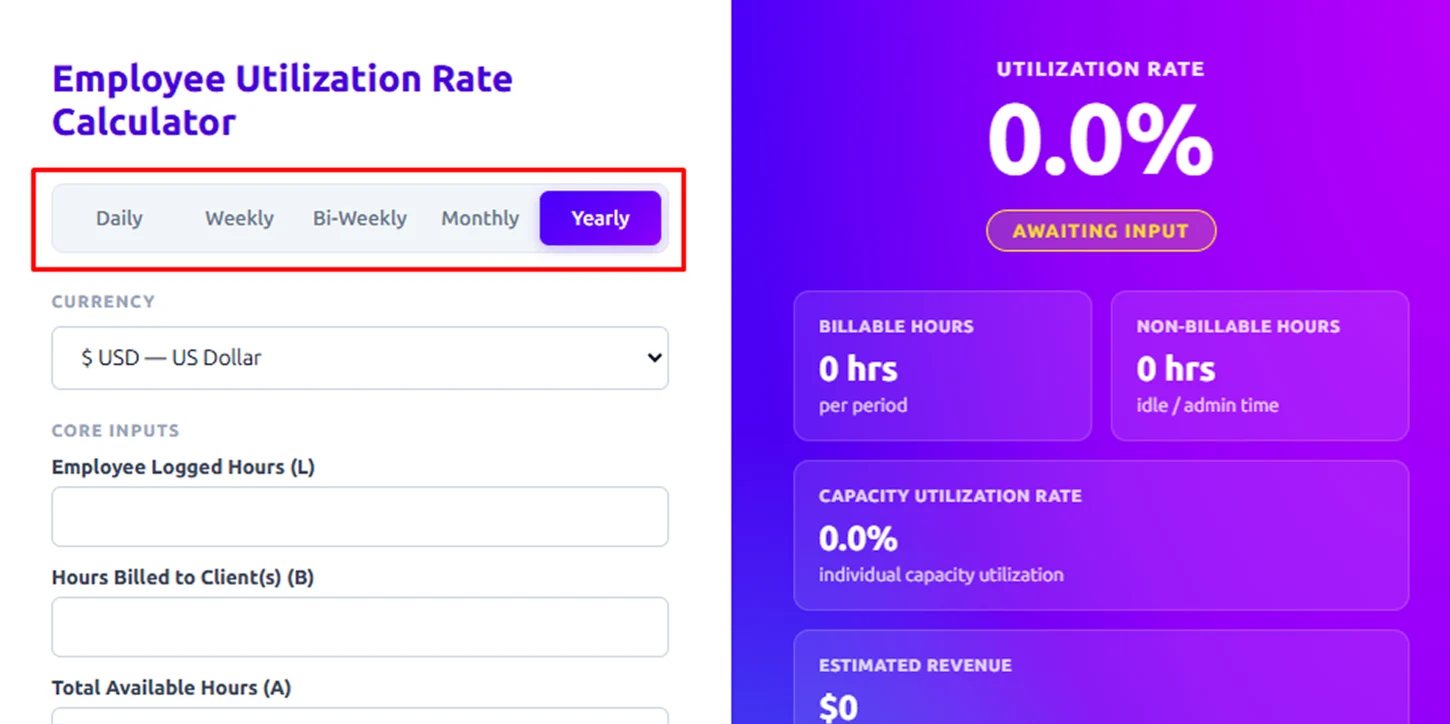
Step 1: Select Time Period
Choose how you want to calculate: Daily, Weekly, Bi-Weekly, Monthly, or Yearly. This defines the time frame for all your inputs and results.
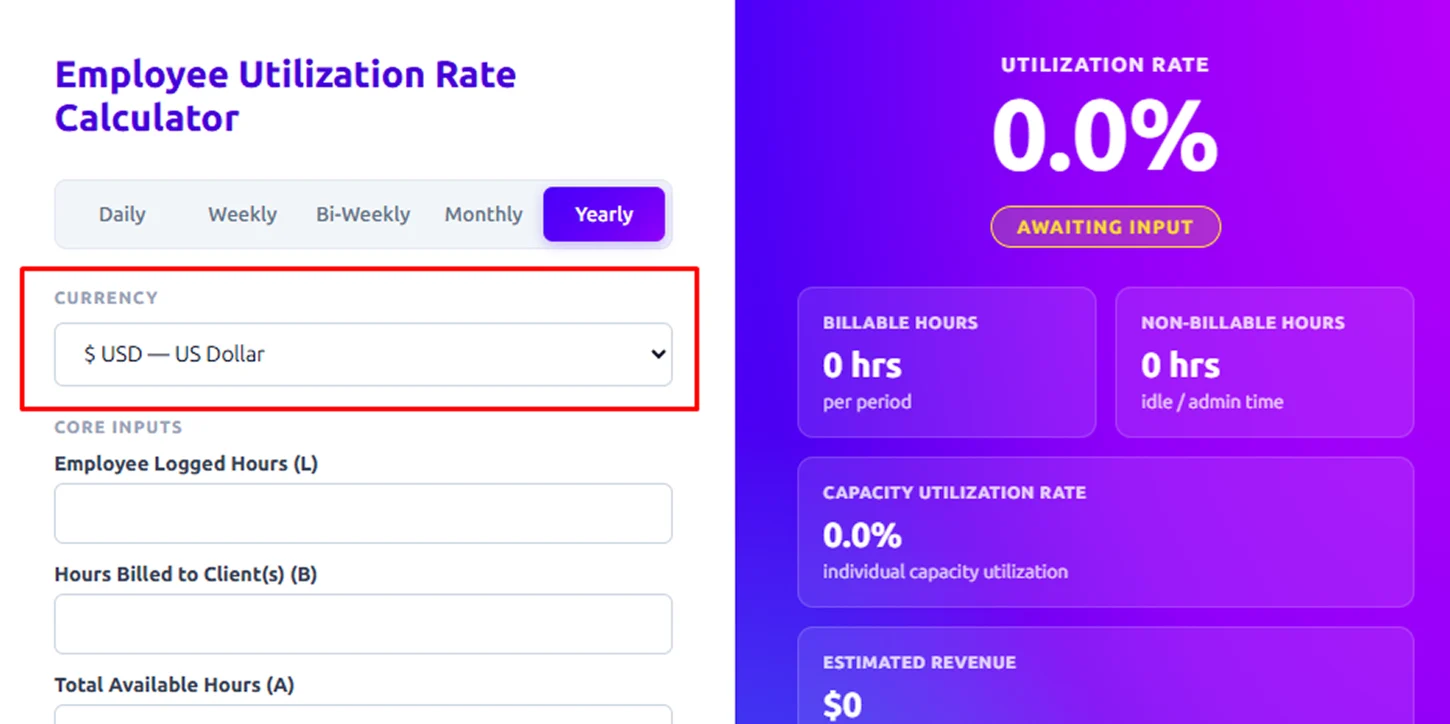
Step 2: Choose Currency
Select your preferred currency (e.g., USD). This will apply to all cost and revenue fields.
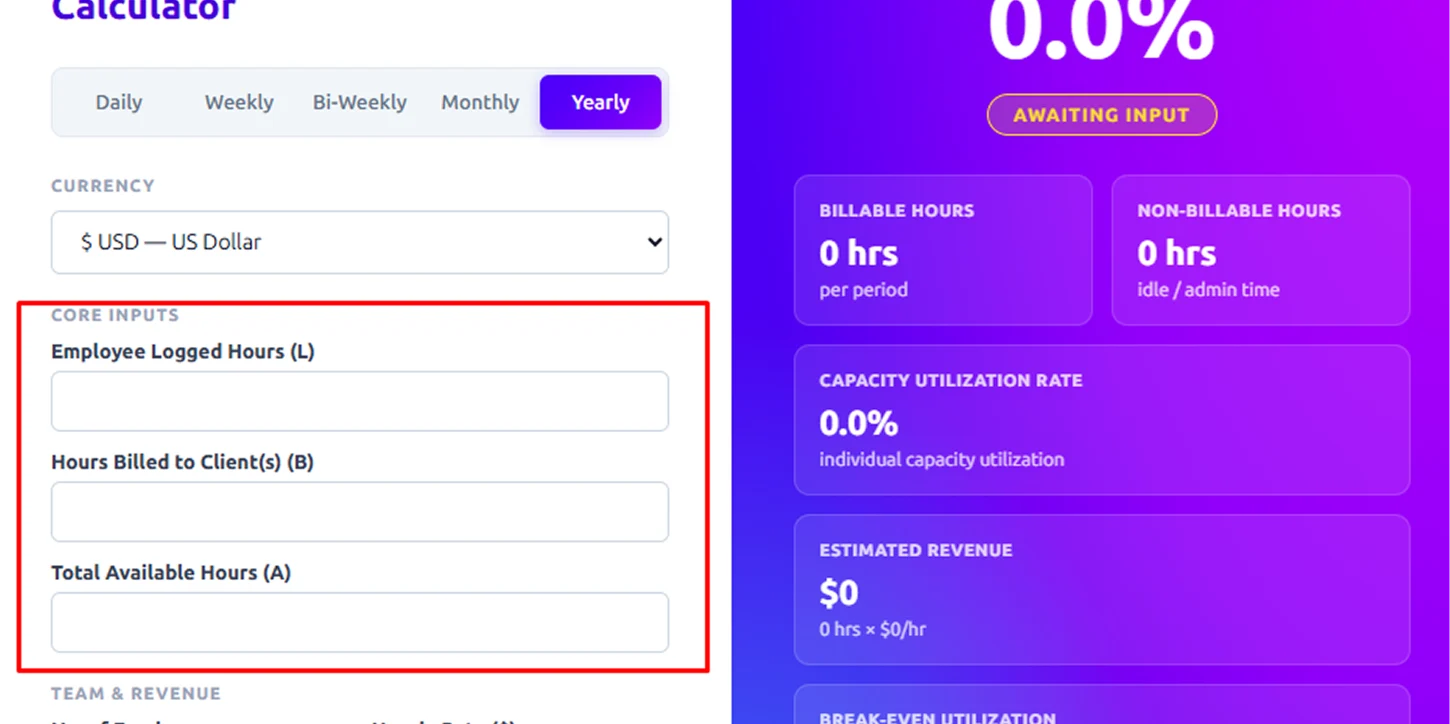
Step 3: Enter Core Inputs
Fill in the key work-hour details:
- Employee Logged Hours (L): Total hours employees actually worked.
- Hours Billed to Clients (B): Billable hours (client-facing work).
- Total Available Hours (A): Maximum possible working hours (total capacity).
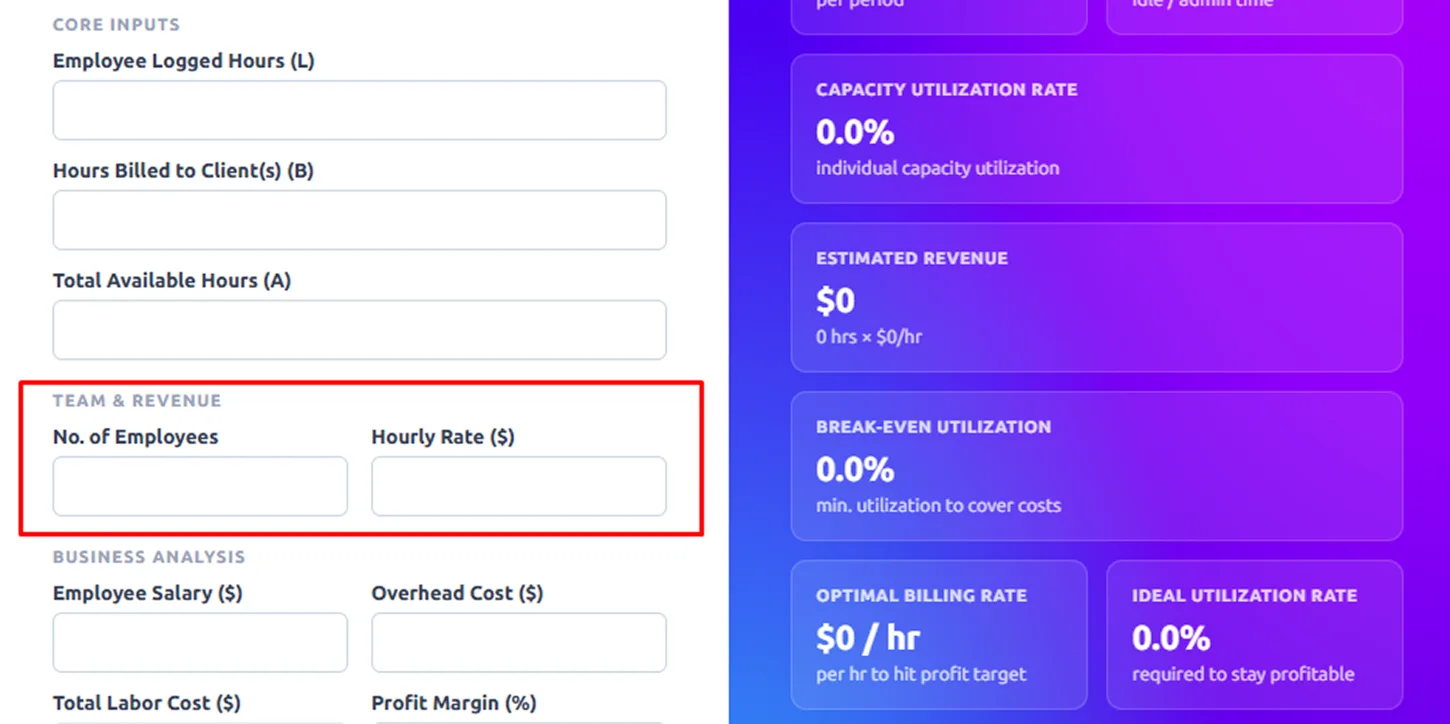
Step 4: Add Team & Revenue Details
Provide the following:
- No. of Employees: Total team size.
- Hourly Rate ($): Billing rate per employee/hour.
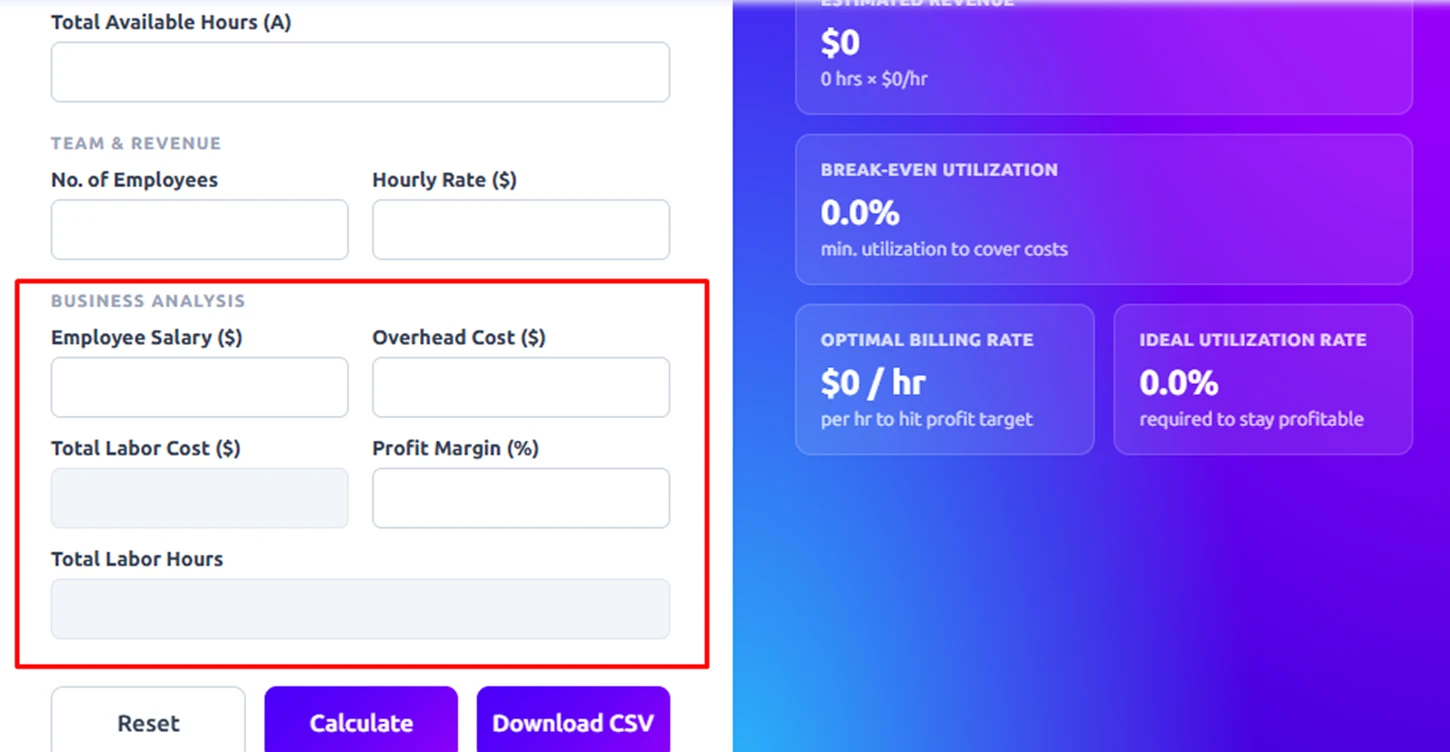
Step 5: Fill Business Analysis Inputs
To gain deeper insights into costs, profitability, and overall efficiency, you can fill in the following optional fields:
- Employee Salary ($): Enter the total salary paid to employees for the selected period.
- Overhead Cost ($): Include additional business expenses such as rent, utilities, software, and admin costs.
- Total Labor Cost ($): Add the combined cost of salaries and other employee-related expenses (if already calculated).
- Profit Margin (%): Specify your expected or target profit margin to evaluate performance.
- Total Labor Hours: Input the total hours worked by all employees combined.
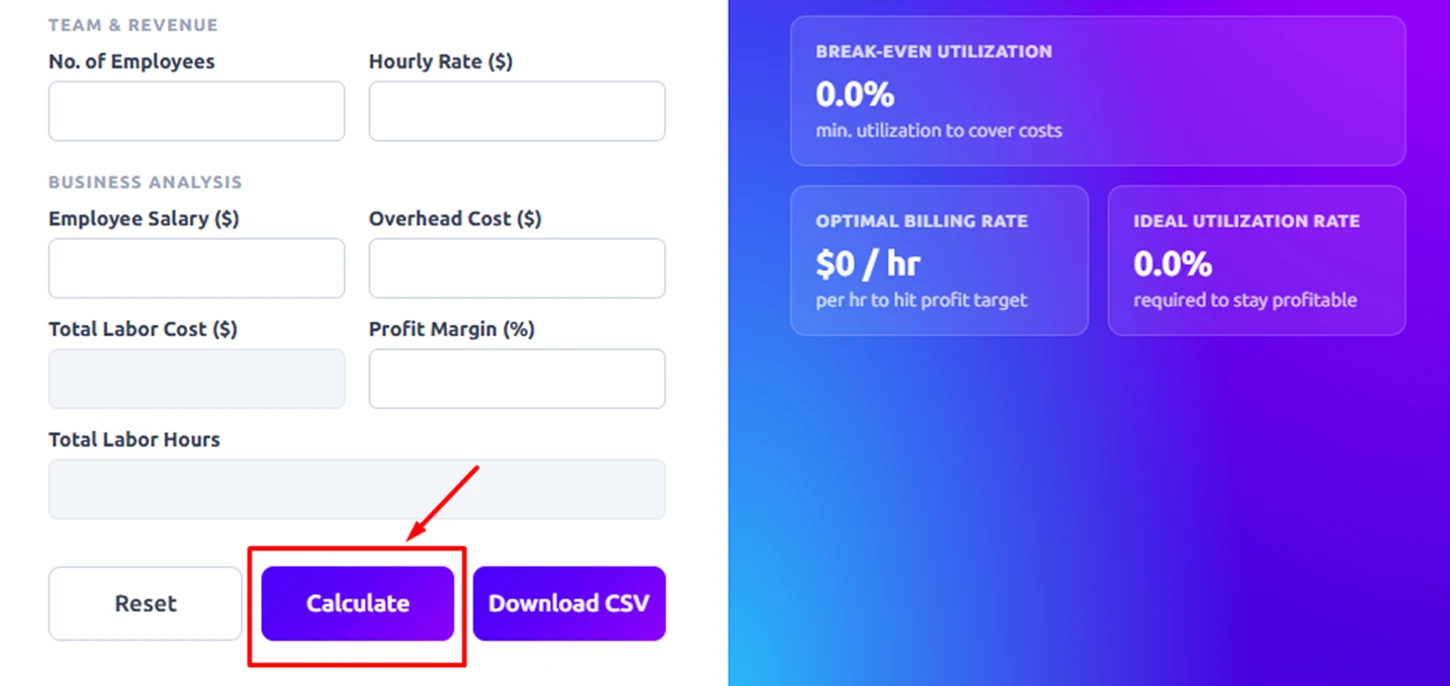
Step 6: Click the Calculate Button
Once you’ve entered all the required inputs, click the Calculate button. The calculator will instantly process the data and display key metrics on the right panel, including:
- Utilization Rate (%): Shows how effectively available time is being used for billable work.
- Billable Hours: Total hours spent on client-related, revenue-generating tasks.
- Non-Billable Hours: Time spent on internal, administrative, or non-revenue activities.
- Capacity utilization Rate: Indicates how much of the total available capacity is being utilized.
Step 7: Download or Reset
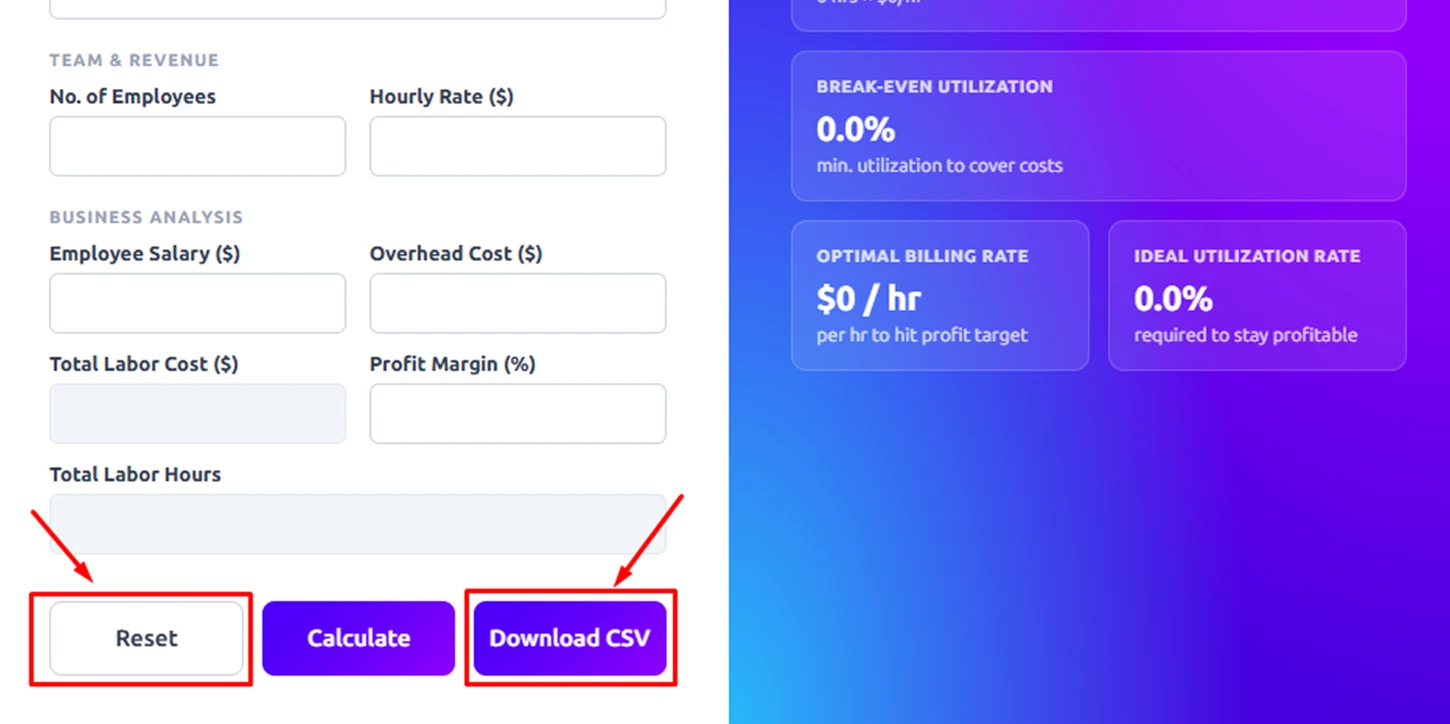
After reviewing your results, you can:
- Download CSV: Export your data and results for sharing or further analysis.
- Reset: Clear all fields to start a new calculation quickly.
How to Calculate the Employee Utilization Rate
Step 1: Identify Total Available Working Hours
Start by determining the total number of working hours available during a specific period (weekly, monthly, or yearly).
For example:
If an employee works 40 hours per week for 4 weeks, then:
Total Available Hours = 40 × 4 = 160 hours
Step 2: Calculate Billable (Productive) Hours
Next, identify how many of those hours were spent on revenue-generating or billable tasks.
For example:
Out of 160 total hours, suppose 120 hours were spent on client projects.
Then, billable hours = 120 hours
Step 3: Apply the Employee Utilization Rate Formula
Here is the standard formula:
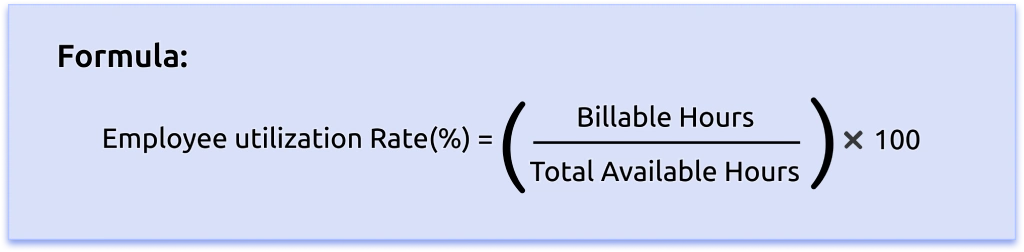
Using the example values:
Employee utilization Rate = (120 ÷ 160) × 100
Step 4: Perform the Calculation
Using the Formula:
Employee utilization Rate = 0.75 × 100
Employee utilization Rate = 75%
Step 6: Interpret the Result
A 75% utilization rate means the employee spent 75% of their available working time on revenue-generating tasks, while the remaining 25% was allocated to non-billable activities such as meetings, training, or administrative work.
According to industry research, professional services firms typically report an average billable utilization rate of about 69%, with many companies targeting approximately 75%.
What Are the Pros and Cons of Utilization Rate Calculator?
| Pros | Cons |
|---|---|
| Provides clear insights into how employee time or machine capacity is being used, helping organizations monitor productivity effectively. | May undervalue important non-billable activities such as training, planning, and collaboration. |
| Helps allocate workloads efficiently and balance team capacity to avoid overstaffing or understaffing. | Targeting excessively high utilization rates can increase pressure and stress among employees. |
| Shows how effectively time is converted into revenue, supporting smarter financial decisions. | High utilization does not necessarily reflect quality, creativity, or impact of work. |
| Highlights downtime, scheduling issues, or resource misallocation for corrective action. | Utilization alone does not provide a complete performance picture. |
| Supports informed decisions related to hiring, budgeting, and project management. | Incorrect understanding of percentages might lead to poor management decisions. |
What Your Employee Utilization Rate Could Be Telling You
When you track employee utilization rate, it helps you clearly understand how efficiently your workforce is being used. It reflects how much time is spent on productive, billable work versus non-billable activities. Monitoring utilization regularly helps improve resource planning, productivity, and overall business performance.

Identify Underutilized Employees
Low utilization highlights employees not fully engaged in productive work.

Spot Overworked Teams Early
High utilization may signal workload imbalance or burnout risk.

Measure Billable vs Non-Billable Time
Shows how much time goes into revenue-generating vs internal work.

Detect Resource Allocation Gaps
Reveals overuse or underuse of team resources.

Track Productivity Trends
Utilization changes show performance patterns over time.

Improve Project Planning
Helps align team capacity with project needs.
How Time Champ Transforms Utilization into Real Business Impact
Utilization helps you measure how effectively your employees’ time is spent on productive and revenue-generating work. However, simply calculating a utilization percentage isn’t enough to fully understand workforce performance.
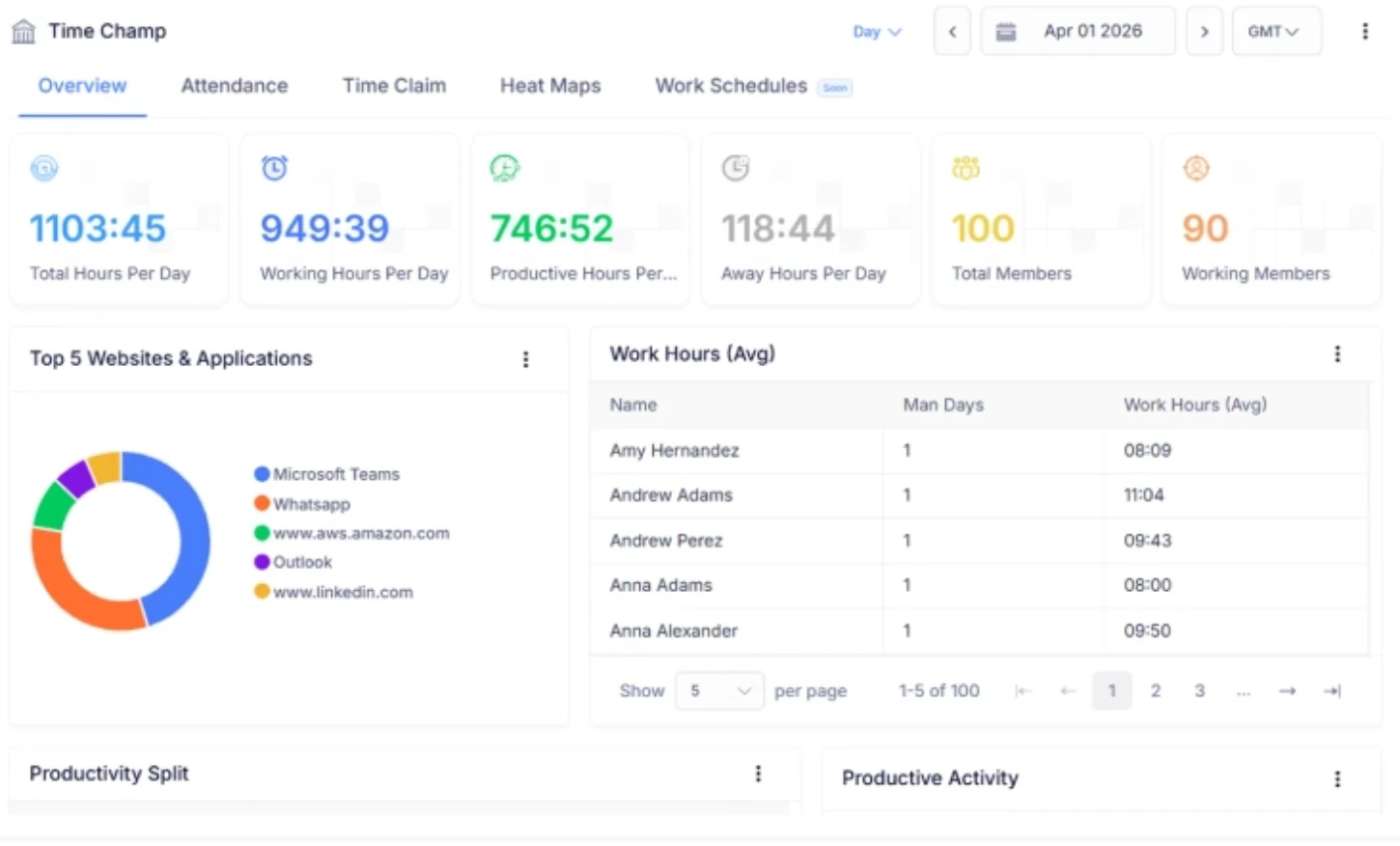
This is where Time Champ, a workforce intelligence software, can support you. It goes beyond basic utilization tracking by giving you real-time productivity insights, detailed performance analytics, and a centralized view of your workforce. With these insights, you can monitor billable hours, optimize resource allocation, balance workloads, and make smarter decisions. With actionable utilization insights, Time Champ helps you optimize workflows, maximize revenue, and strengthen long-term performance.
| Feature | Time Champ | Spreadsheets | Manual |
|---|---|---|---|
| Automatic Utilization % Calculation | ✓ | ✓ (with formulas) | ✕ |
| Real-Time Productivity Insights | ✓ | ✕ | ✕ |
| Centralized Dashboard View | ✓ | ✕ | ✕ |
| Billable vs Non-Billable Tracking | ✓ | ✓ (manual setup) | ✕ |
| Detailed Performance Analytics | ✓ | ✗ (basic) | ✕ |
| CSV Report Generation | ✓ | ✓ | ✕ |
| Download & Print Options | ✓ | ✓ | ✕ |
| Country/Regional Alignment | ✓ | ✕ | ✕ |
| Workforce Planning Support | ✓ | ✕ | ✕ |
| User-Friendly, No Formula Setup | ✓ | ✕ | ✕ |
Boost Productivity with Real-Time Utilization Insights
Time Champ tracks employee utilization, billable hours, and workforce efficiency in real time to help you maximize performance and profitability.
- Utilization Rate Calculations in Seconds
- Track Billable vs Non-Billable Hours Easily
- Real-Time Workforce Performance Insights
- Team & Individual Utilization Visibility
- Export-Ready Reports for Analysis
- Smarter Decisions with Accurate Data
 Start 7-day free trial
A Workforce Intelligence Tool Built for Smarter Performance
See What Our Customers Say

Time Champ has changed how we manage our team. The clear insights, real-time updates, and helpful reports made it easier to use our resources well and supported a better work-life balance for our teams.

Time Champ made managing our work so much easier. Now we can handle projects, capture work hours, and manage attendance effortlessly.

We switched from a popular project management tool to Time Champ, whose flexibility and productivity tracking, location features, made task management much easier.

Time Champ provided the clarity we were looking for. Its features allowed us to understand work patterns in depth, while remaining easy to use, cost-effective, and flexible enough for teams of different sizes.

Managing remote teams became much easier for us. We gained clearer visibility into work habits, productivity levels, and attendance patterns. The custom reporting feature also helped us quickly identify areas that required attention.

We highly recommend Time Champ for improving our workforce efficiency. It’s affordable, easy to use, and great for monitoring, productivity, attendance, and time tracking, an all-in-one solution every team needs.
Connect with our product experts for a live demo and discuss your business requirements.
Explore Other Calculators

Free Overtime Calculator
Calculate overtime pay accurately with our overtime calculator, a simple tool for determining extra hours worked and ensuring correct compensation.
Try Now →Schedule Variance Calculator
Calculate schedule variance with our schedule variance calculator, a simple tool for tracking project timelines and evaluating schedule performance.
Try Now →Completion Percentage Calculator
Calculate task or project completion rates instantly with our completion percentage calculator - an accurate tool to track progress and improve productivity.
Try Now →


 4.7/5 avg.
Ready to Manage Your Workforce Smarter?
Join our family of 1500+ companies using smart insights to redefine workforces!

Free Trial
No Credit Card Required