Absence Percentage Calculator
Unplanned absences disrupt teams, reduce team efficiency, and increase costs. An absence percentage calculator helps you measure absenteeism accurately, reveal patterns, and make informed workforce decisions to boost productivity and balance.
Absence Percentage Calculator
What is an Absence Percentage Calculator?
An absence percentage calculator is a workforce management tool that calculates the percentage of the scheduled working time that an employee misses during a specific period. It compares total absence with total scheduled hours to generate a clear and consistent absence rate across teams or the organization.
This calculator gives you a clear view of attendance levels, so you can identify patterns and resolve issues early. Absence percentages are useful in measuring missed work time to support better resource planning, balanced workloads, and informed decisions that protect productivity and overall workforce performance.
Why Should You Use an Absence Percentage Calculator?
Measuring employee absences will provide you with a clear view of the attendance patterns and the performance of the team. An absence percentage calculator will assist you in tracking absenteeism, identifying problems at an early stage, and making informed decisions to ensure that your workforce remains productive and balanced. Here, you will understand why using an absence percentage calculator is important.
- Gain Clear Visibility into Attendance Patterns: You require accurate data to manage attendance. An absence percentage calculator will provide you with a clear view of the amount of scheduled time that employees miss within a specified period. This assists you in determining trends across teams, roles or time periods rather than making assumptions.
- Plan Workforce Capacity with Confidence: Once you know how to calculate the absenteeism percentage properly, you will be able to forecast staffing needs more effectively. Accurate absence data will enable you to allocate resources appropriately, avoid understaffing, and maintain a balanced workload across teams.
- Protect Productivity and Service Delivery: Unmanaged absenteeism disrupts work processes and delays output. Using an absence rate calculator, you can identify gaps early and act in time. This will assist you in keeping a steady level of productivity and safeguarding operational performance.
- Enable Fair and Data-Driven Decisions: An absenteeism calculator applies a standardized calculation method throughout the organization. This guarantees fairness in the review of attendance records and helps in objective decision-making in performance management and workforce planning.
- Identify Early Warning Signs of Deeper Issues: An increasing percentage of absenteeism may signal burnout, disengagement, or workload imbalance. Calculating absenteeism regularly helps you spot these warning signs early and deal with the underlying cause before the issue gets out of hand.
- Control Operational Costs: High absenteeism increases overtime costs, temporary staffing needs, and reduces productivity. Proper calculation of absenteeism assists you in monitoring the trends and minimizing unnecessary absences, which directly contributes to financial stability and sustainable management of the workforce.
How to Use the Absence Percentage Calculator?
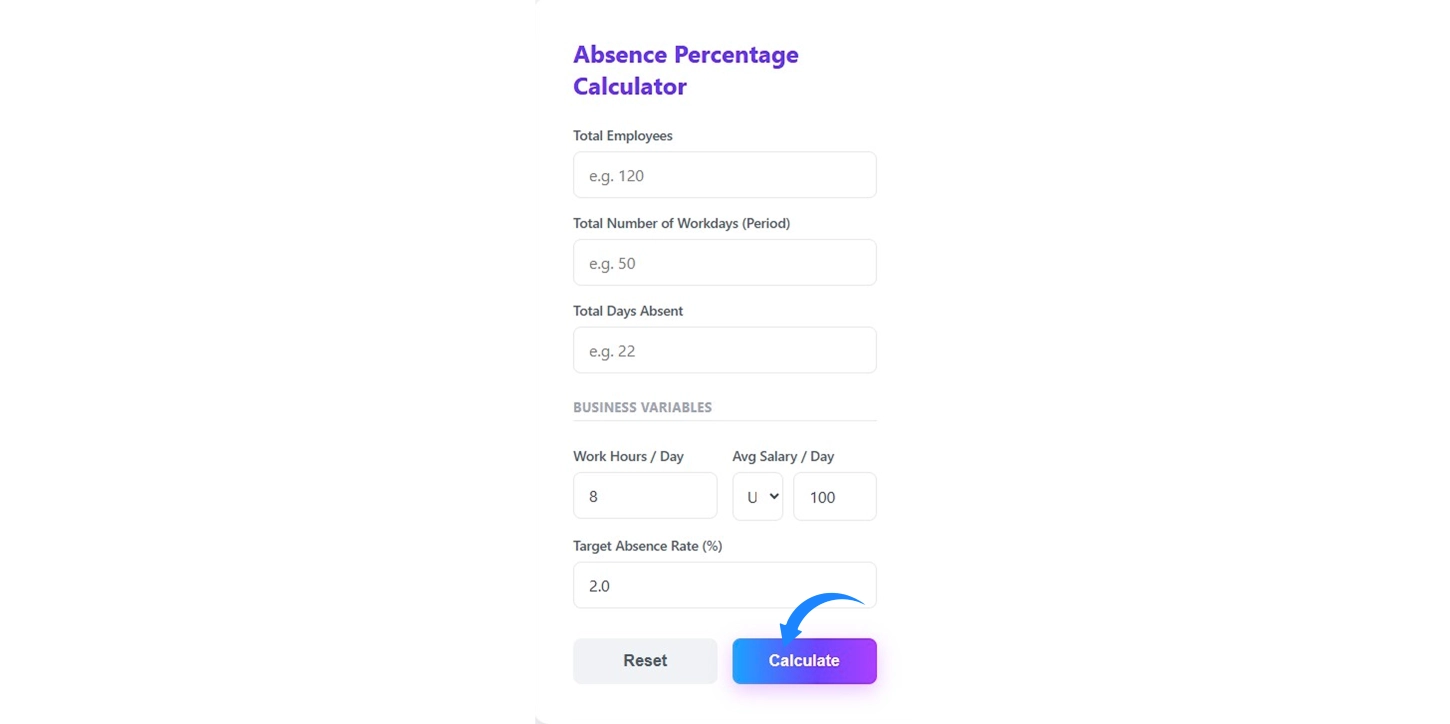
Using the absence percentage calculator is simple when you enter accurate workforce and absence data. The calculator processes the details you provide and displays the absenteeism rate along with useful attendance insights. Follow the steps below to generate reliable results.
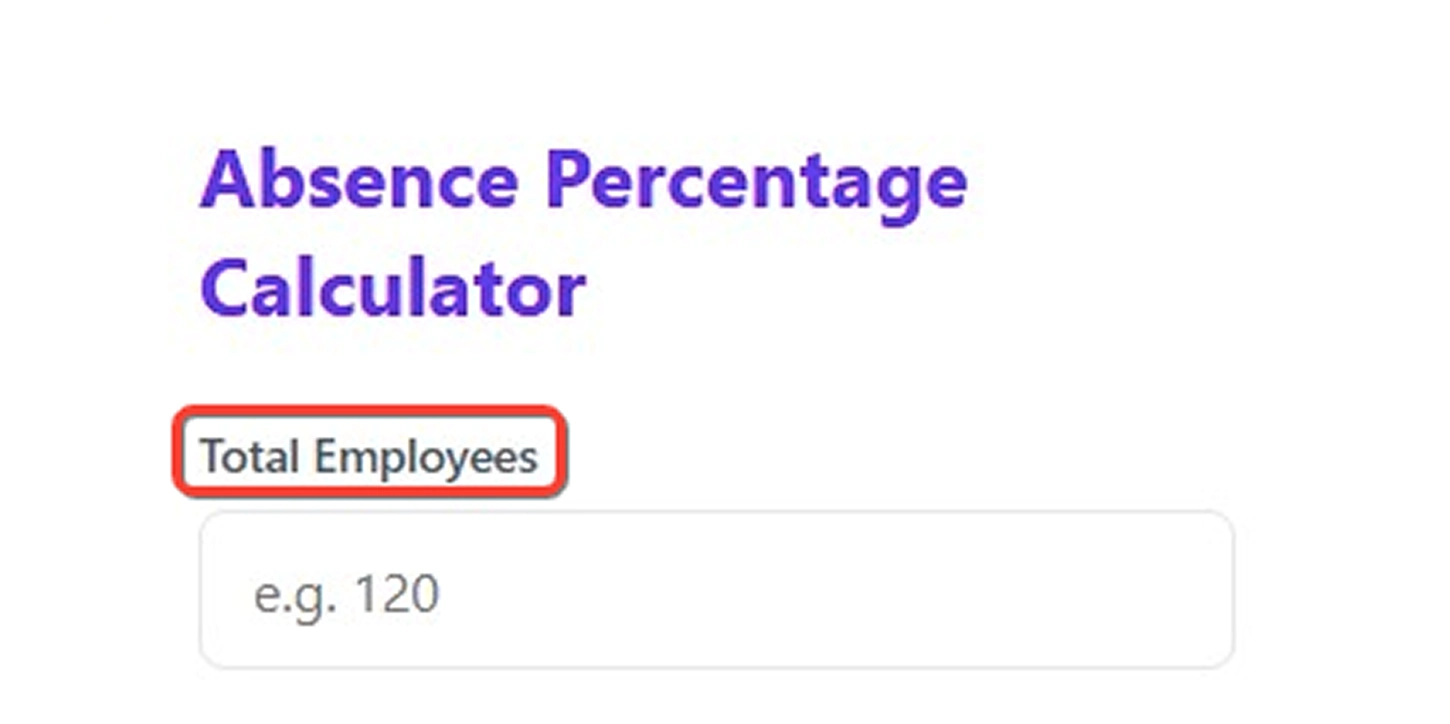
Step 1: Enter the Total Number of Employees
Start by entering the total number of employees in your organization or team. This number shows how many employees work during the selected period.
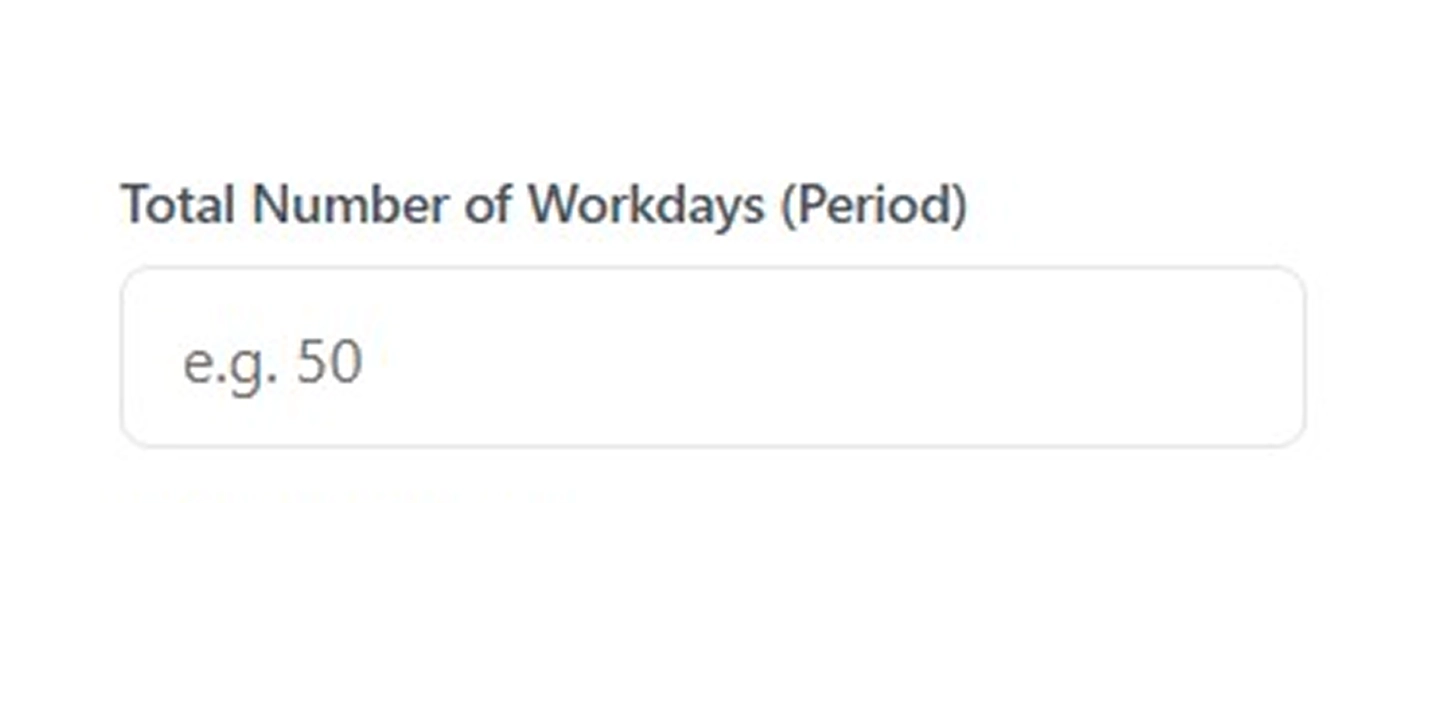
Step 2: Enter the Total Number of Workdays
Next, enter the total number of working days in the selected period. This may represent the working days in a month, quarter, or any defined timeframe used in your attendance records.
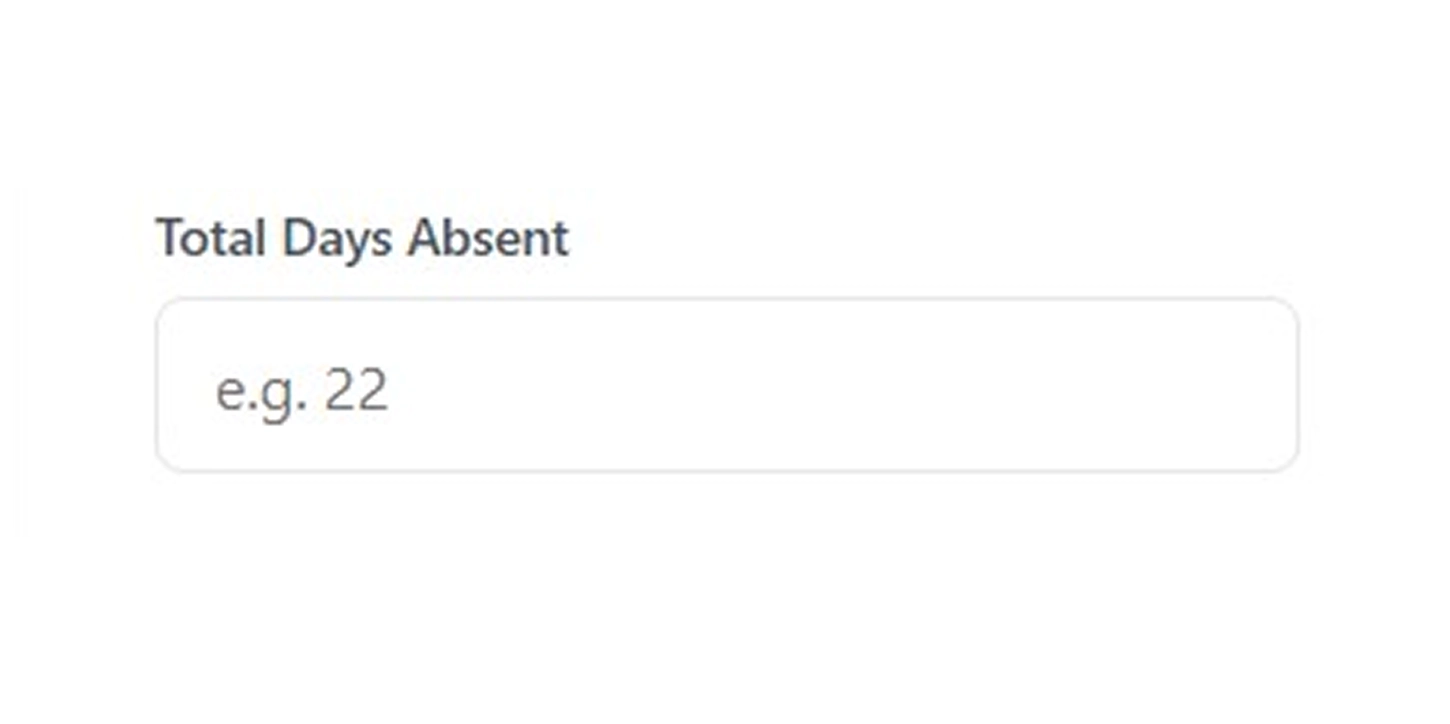
Step 3: Enter the Total Days Absent
Enter the total number of days employees were absent during the same period. Include all absences according to your organization’s attendance policy.
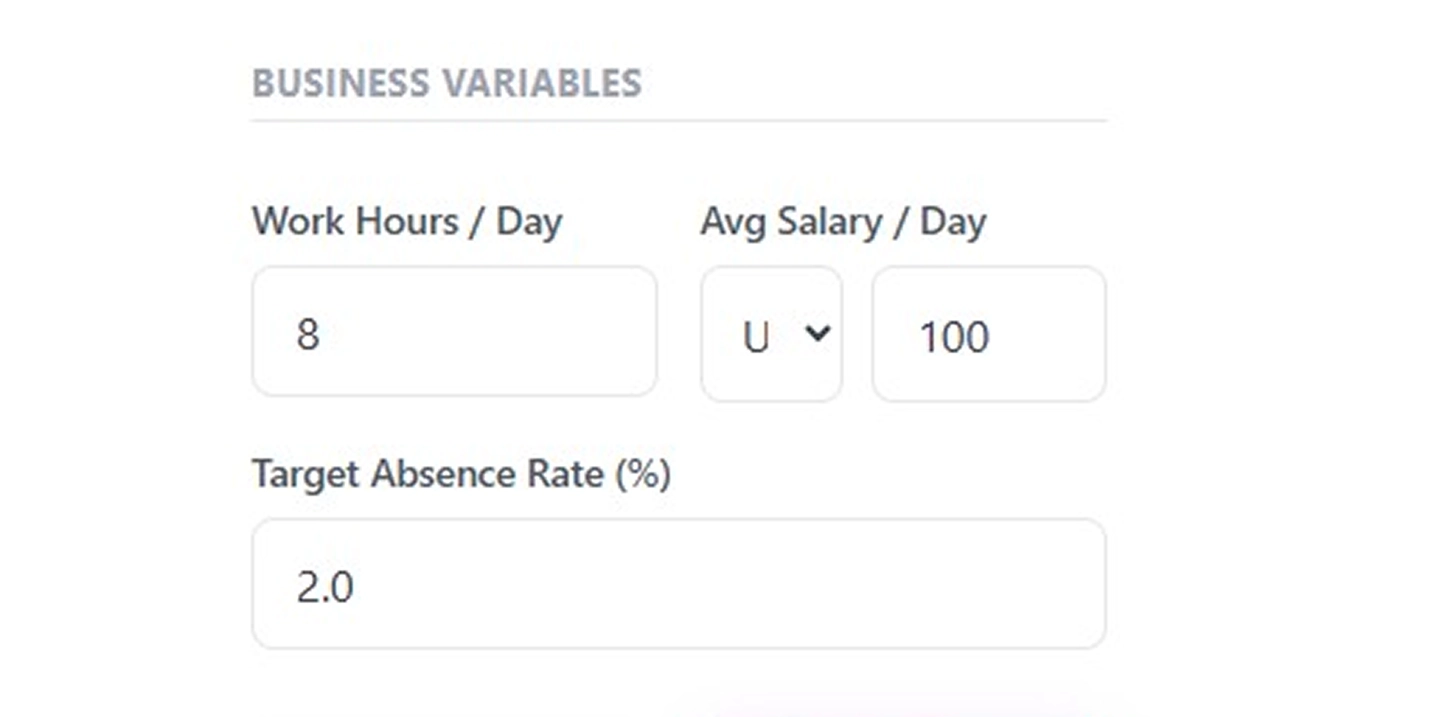
Step 4: Enter Additional Workforce Details
Provide the additional information required by the calculator. Enter the standard work hours per day, the average salary per day, and the target absence rate set by your organization. These inputs help the calculator estimate the time and financial impact of absenteeism.
Step 5: Click Calculate
After entering all the required information, click the Calculate button. The calculator processes the data and generates the absenteeism rate for the selected period.
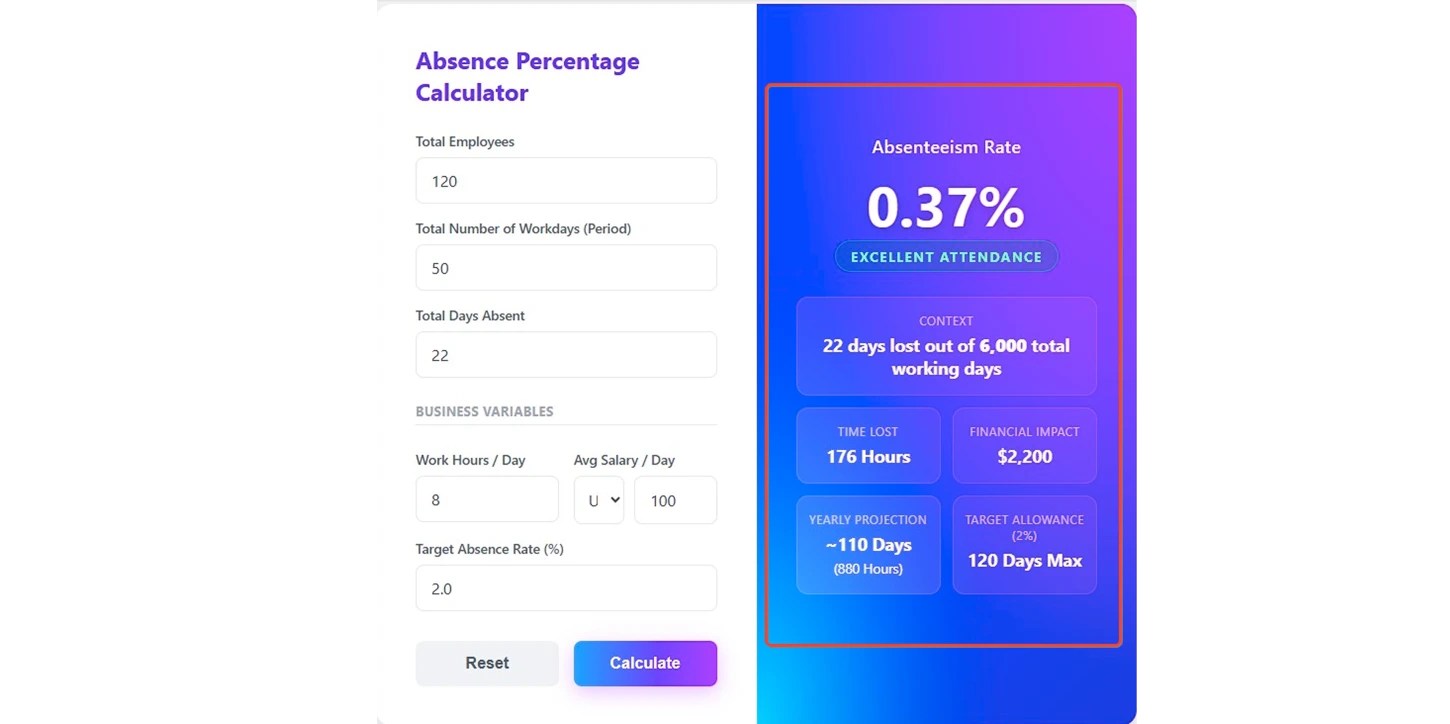
Step 6: View the Absence Results
Once the calculation is complete, the calculator displays the absenteeism rate along with supporting insights such as possible workdays, days absent, total work hours lost, financial impact, yearly absence projection, and the target absence allowance. These results give you a clear summary of attendance and absence for the selected period.
How to Calculate the Absence Percentage of an Employee?
You can calculate the absence percentage of an employee by comparing the total absence days with the total possible working days during a selected period. This calculation shows how much scheduled work time employees miss and helps you understand the operational and financial impact of absenteeism.
Follow the steps below to understand how the absenteeism calculation works.
Step 1: Calculate the Total Possible Working Days
First, determine the total number of working days available for all employees during the selected period.
Use the formula below:
Total Possible Working Days = Total Employees × Total Workdays
Example:
Total employees = 25 and Workdays in the period = 50
Total possible working days = 25 × 50 = 1,250 working days
This number represents the total scheduled workdays for the workforce in that period.
Step 2: Identify the Total Days Absent
Next, determine the total number of absence days recorded for all employees during the same period.
Example:
Total absence days recorded = 30 days
This number represents the amount of scheduled work time lost because employees did not attend work.
Step 3: Calculate the Absenteeism Percentage
Now, calculate the absenteeism percentage using the absence days and total possible working days.
Use the formula below:
Absenteeism Percentage = (Total Days Absent ÷ Total Possible Working Days) × 100
Example calculation:
30 ÷ 1,250 × 100 = 2.4%
This means employees missed 2.4% of the total scheduled working time during the selected period.
Step 4: Calculate the Total Work Hours Lost
You can also calculate the total number of working hours lost due to absence.
Use the formula below:
Time Lost in Hours = Total Days Absent × Work Hours Per Day
Example:
Total days absent = 30 and Work hours per day = 7
Time lost: 30 × 7 = 210 hours
This shows the amount of productive work time the organization lost.
Step 5: Calculate the Financial Impact of Absence
Absenteeism also creates a direct financial cost. You can estimate this cost by multiplying the total absence days by the average salary per day.
Use the formula below:
Financial Impact = Total Days Absent × Average Salary Per Day
Example:
Total days absent = 30 and Average salary per day = $120
Financial impact: 30 × 120 = $3,600
This amount represents the estimated cost of lost workdays during the selected period.
Step 6: Estimate the Yearly Absence Projection
You can estimate how many absence days may occur across a full year if the same pattern continues.
Example:
Absence days in the period = 30, Workdays in the period = 50 and Estimated yearly workdays = 250
Yearly projection: 30 ÷ 50 × 250 = 150 absence days per year (In work hours: 150 × 7 = 1,050 hours)
This projection helps you understand the long-term impact of absenteeism.
Step 7: Compare the Result with the Target Absence Allowance
Many organizations define a target absence rate to maintain healthy attendance levels.
Example:
Target absence rate = 3% and Target absence allowance = 3% × 1,250 working days = 37.5 days
Rounded value: 38 days maximum allowed
You can compare the actual absence with this allowance to determine whether attendance levels stay within acceptable limits.
What Are the Pros and Cons of an Absence Percentage Calculator?
An absence percentage calculator helps you measure absenteeism and take informed actions quickly, but it has some limitations. Here’s a clear look at its main pros and cons.
| Pros | Cons |
|---|---|
| Provides an accurate measure of absenteeism by comparing absence hours with scheduled hours. | Shows the absenteeism rate but does not explain the reasons behind absences. |
| Tracks trends over time across teams or periods to identify unusual absenteeism patterns. | Accuracy depends on complete and correct attendance records. Manual entry can be time-consuming and error-prone. |
| Supports workforce planning and workload balancing by highlighting staffing needs. | Captures only number-based data and does not reflect employee engagement, morale, or hidden workplace issues. |
| Enables timely action to maintain productivity by identifying attendance gaps early. | Does not provide solutions on its own and only highlights absenteeism levels. |
| Promotes fairness using a standardized method for equal treatment across employees and teams. | Requires consistent data and calculation methods across employees and teams to remain fair and reliable. |
What Your Absence Percentage Data Could Be Telling You
Absence percentage data helps you understand workforce attendance patterns, identify operational risks, and make better staffing decisions. It provides practical insights that support productivity, workforce stability, and informed management decisions.

Provides Clear Visibility into Workforce Attendance Patterns
Helps you understand absence frequency and identify attendance trends across teams.

Helps Detect Attendance Issues Before They Escalate
Reveals unusual absence patterns early so corrective action can be taken.

Supports Better Workforce Planning and Staffing Decisions
Enables accurate staffing adjustments based on reliable absence data.

Helps Maintain Balanced Workloads Across Teams
Identifies absence pressure that may increase workload for other employees

Helps Monitor the Financial Impact of Absenteeism
Shows how employee absences contribute to measurable productivity and cost losses.

Supports Fair and Consistent Attendance Management Decisions
Provides standardized absence data to evaluate attendance fairly across employees.
How Time Champ Outperforms Basic Absence Percentage Calculators?
Basic absence percentage calculators, spreadsheets, or manual methods give you a number, but they often don’t give the full view of what’s really happening. They can’t easily link absence data with schedules, leave records, or team performance patterns, leaving you guessing about underlying issues like workload imbalance, burnout risk, or potential attrition. This makes it harder to make proactive decisions that keep your workforce balanced and run operations smoothly.
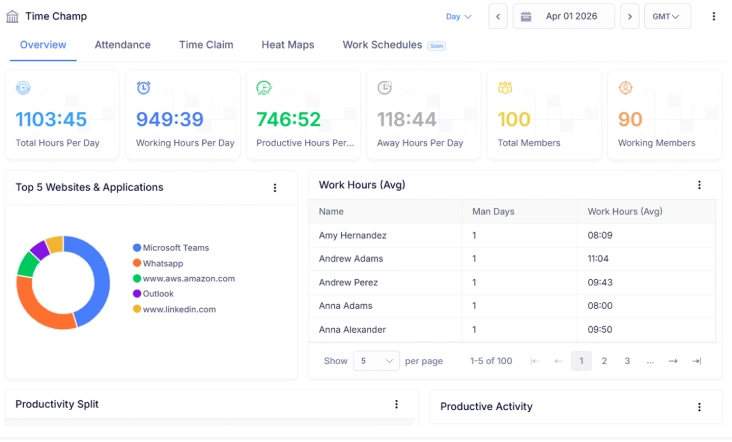
Time Champ solves this by combining all the essential data in one place. It automatically tracks employee absences while considering schedules, shifts, and leave types. It goes beyond simple numbers, highlighting patterns that could indicate burnout or attrition risks. You can compare teams or departments, analyze past patterns, and get clear, actionable insights to make informed workforce decisions without the difficulty of manual work or separate spreadsheets. The table below clearly shows how Time Champ goes beyond basic calculators to provide deeper insights and actionable information.
| Feature | Time Champ | Spreadsheets | Manual |
|---|---|---|---|
| Automatic time & absence tracking | ✓ | ✓ | ✓ |
| Attendance Management | ✓ | ✓ | ✕ |
| Shift Scheduling Management | ✓ | Manual | ✕ |
| Leave Management Integration | ✓ | Manual | ✕ |
| Historical Absence Trend Analysis | ✓ | ✓ | ✕ |
| Team / Department Absence Comparison | ✓ | ✓ | ✕ |
| Workforce Analytics | ✓ | Basic | ✕ |
| Burnout Risk Indicators from Absence Patterns | ✓ | ✕ | ✕ |
| Attrition Risk Detection | ✓ | ✕ | ✕ |
| Exportable Absence Reports | ✓ | ✓ | ✕ |
Turn Absence Data into Workforce Insights
Track, Analyze, and Optimize Employee Attendance Automatically with Time Champ
- Automate attendance & shift management
- Analyze absenteeism trends across teams and periods
- Generate detailed, exportable absence reports
- Highlights potential burnout or disengagement
- Provides insights to support better workforce planning
 Start 7-day free trial
A Workforce Intelligence Tool Built for Smarter Performance
See What Our Happy Customers Say

Time Champ gave us multiple ways to monitor employee time and review work in detail. The software was easy to use, customizable, and cost-effective. The support team really did a good job whenever we needed help. We would highly recommend it to organizations of any size.

Time Champ made attendance and project tracking much easier for us. We saved hours every week on manual HR work and gained better visibility into our projects. It was simple to use, and the support team was always responsive when we needed help. It significantly improved how we managed our team.

Time Champ was simply great to work with. They were open to suggestions and genuinely listened to our feedback. The team kept improving the product based on our inputs, which we really appreciated. The support team was helpful at every step, and we were truly impressed with both the platform and the people behind it.

We had used another tool before, but it did not fully meet our needs. After switching to Time Champ, our workflow became smoother and more efficient. It improved visibility, simplified payroll and timesheets, and the support team was always helpful. We were very satisfied with the overall experience.

Time Champ helped us clearly understand how our time was being spent and improved our team’s productivity. It made billing much less stressful and reduced confusion in our daily work. Features like attendance tracking and screenshot monitoring played an important role in improving our overall performance.

We highly recommend Time Champ. It boosted our productivity, improved accountability, and simplified attendance and time tracking. As an all-in-one workforce management solution, it’s effective and reasonably priced
Lead Smarter with Workforce Intelligence Connect with our product experts for a live demo and discuss your business requirements.
Explore Other Calculators

Full Time Equivalent (FTE) Calculator
Calculate full-time equivalents easily with our FTE Calculator - a precise tool for measuring employee workload, staffing, and resource planning.
Try Now →Project Cost Calculator
Calculate expenses with our project cost calculator, a tool for estimating budgets, tracking costs, and planning projects with accuracy and control.
Try Now →Employee Retention Rate Calculator
Calculate employee retention easily with our Employee Retention Rate Calculator, an effective tool for measuring workforce stability and HR performance.
Try Now →


 4.7/5 avg.
Ready to Manage Your Workforce Smarter?
Join our family of 1500+ companies using smart insights to redefine workforces!

Free Trial
No Credit Card Required