DLP vs EDR: What's the Difference & Do You Need Both?
Understand DLP vs EDR, their key differences, use cases, overlap, and whether your business needs both to prevent data loss and stop endpoint threats.
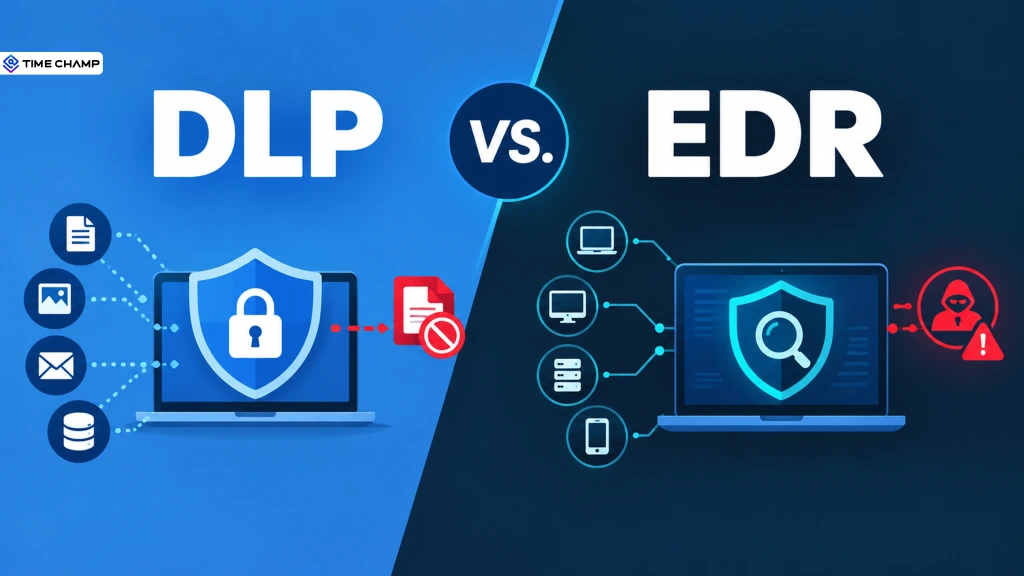
Your data can leave through a careless click. A threat can enter through a compromised device. DLP and EDR deal with two very different sides of that security problem.
But where does one end and the other begin? And when do you actually need both?
With the cost of breaches and insider risks climbing, choosing the right security tools matters. This blog breaks down DLP vs. EDR, where they overlap, and how to decide what fits your organization.
What Is DLP (Data Loss Prevention)?
Data loss prevention (DLP) is a security approach that helps organizations protect sensitive information by detecting, monitoring, and preventing unauthorized access, sharing, or transfer of data.
DLP first identifies sensitive data and then monitors how it’s being accessed and shared. It typically looks at data in three states:
- Data At Rest: Files stored on servers, endpoints, or cloud storage.
- Data In Motion: Information being sent through email, file transfers, or networks.
- Data In Use: Data being accessed, copied, uploaded, downloaded, or moved to a USB drive.
What Is EDR (Endpoint Detection and Response)?
Endpoint detection and response (EDR) is a cybersecurity solution that continuously monitors devices for suspicious activity, detects potential threats, and helps security teams investigate and respond to attacks.
EDR typically works by:
- Collecting Activity Data: It continuously records what’s happening across monitored endpoints, including processes, files, network connections, and system changes.
- Finding Suspicious Behavior: It looks for unusual patterns, such as unexpected encryption, unknown processes running with high-level privileges, or signs of lateral movement.
- Alerting Security Teams: When it detects something suspicious, it sends an alert, often with a severity level to help teams prioritize.
- Responding to Threats: Depending on the setup, EDR can automatically or manually isolate a device, stop a malicious process, or undo harmful changes.
DLP vs EDR: The Core Difference
DLP protects your data. EDR protects your endpoints. DLP focuses on controlling how sensitive data is accessed and moved, while EDR looks for suspicious activity on devices and responds to potential threats.
In simple terms, DLP asks, “Should this data be going there?” EDR asks, “Is this device behaving like it’s under attack?”
| Attribute | DLP | EDR |
|---|---|---|
| Core focus | Sensitive data and where it goes | Endpoint activity and potential threats |
| Primary driver | Data protection and compliance | Threat detection and response |
| What it monitors | Data at rest, in use, and in motion | Processes, files, network activity, and system changes |
| Typical trigger | A policy violation or unauthorized data movement | Suspicious behavior or a known attack pattern |
| Response | Block, quarantine, mask, or alert | Isolate, stop processes, contain, or alert |
| Typical owner | IT, compliance, or data governance teams | Security and SOC teams |
| Main goal | Prevent data loss or unauthorized exposure | Detect and contain endpoint threats |
Protect your data and your endpoints!
Build stronger coverage with the right security layers
How DLP and EDR Overlap in Cybersecurity
DLP and EDR aren’t doing the same job, but there is some overlap. Both can monitor activity on endpoints, and both can help find insider threats, just from different angles.
For example, imagine an attacker gets hold of an employee’s credentials and uses them to steal sensitive files. EDR might find unusual activity on the device, while DLP can detect the sensitive data being sent through an unauthorized channel. Together, they can give security teams a much clearer picture of what’s happening.
And insider threats can be expensive. According to IBM’s 2026 Cost of a Data Breach Report, malicious insider incidents cost an average of $4.99 million per incident, making them among the most expensive breaches to resolve.
That’s why DLP and EDR are often better viewed as complementary layers of security, rather than competing tools.
DLP vs. EDR: How They Work in 4 Real-World Scenarios
Definitions only take you so far. The easiest way to understand the difference between DLP and EDR is to see what happens when things go wrong.
Here are four workplace scenarios that show which tool steps in, why it matters, and where the other one falls short.
Scenario 1: A Departing Employee Copies Client Files - DLP
An account manager at a marketing agency is leaving the company. On their last day, they plug in a personal USB drive and copy client folders containing campaign files, performance data, and contracts.
There’s no malware or compromised device, so EDR may have nothing to flag. DLP, however, can detect the sensitive files being copied to a removable device and block or log the transfer.
Best fit: DLP
Scenario 2: A Phishing Email Delivers Ransomware - EDR
A BPO employee clicks a link in a convincing vendor email. Minutes later, a process on their computer starts encrypting files and attempting to spread to shared drives.
This isn’t a data-policy problem. It’s an active attack on the endpoint. EDR can find the unusual process behavior and isolate the device before the ransomware spreads further.
Best fit: EDR
Scenario 3: An Employee Slowly Uploads CAD Files - DLP
An engineer who’s unhappy at work begins uploading proprietary CAD drawings and client files to a personal cloud account. Instead of taking everything at once, they move a few files at a time over several weeks.
The activity may not look like a malware attack, but it is a clear data-loss risk. DLP can inspect the files, identify sensitive content, and flag or block transfers to an unauthorized destination.
Best fit: DLP
Scenario 4: A Compromised Software Package Infects a Developer’s Device - EDR
A remote development team installs what appears to be a legitimate open-source package. Unknown to them, the package has been compromised and contains a backdoor.
The malicious code begins making unusual network connections and attempting to gain higher privileges. EDR can detect this suspicious endpoint behavior and help contain the compromised device.
Best fit: EDR
The Takeaway
These scenarios highlight the simplest way to think about the difference:
DLP focuses on where sensitive data is going. EDR focuses on what’s happening on the endpoint.
Sometimes, both can be useful in the same incident, especially when a compromised device is being used to steal sensitive data.
Do You Need Both DLP and EDR? A Decision Framework
You don’t always need DLP and EDR at the same time. The right choice depends on what puts your organization at greater risk today.
Use this quick framework to decide where to start:
| Your situation | Start with | Why |
|---|---|---|
| You handle regulated or sensitive data | DLP | Helps control how sensitive information is accessed, shared, and transferred, supporting data protection and compliance requirements. |
| You’ve dealt with malware, ransomware, or phishing | EDR | Helps detect suspicious activity on endpoints and contain threats before they spread. |
| You have high employee turnover or many contractors | DLP | Helps monitor and control sensitive data transfers, including activity involving removable drives, email, and cloud services. |
| You’re a small team with a limited security budget | Start with your biggest risk | Focus on the problem that could cause the most damage, then add the other layer as your security needs grow. |
| You’re a mid-market or enterprise organization | Both | Using DLP and EDR together provides broader coverage across data protection and endpoint security. |
How Time Champ Complements DLP and EDR
Time Champ is an employee monitoring software with data loss prevention capabilities that helps businesses keep visibility into workforce activity and reduce the risk of sensitive data leaving the organization.
It doesn’t replace EDR. Instead, Time Champ focuses on employee activity and data movement, while EDR focuses on threats and suspicious behavior on endpoints.
USB Activity Monitoring
Protect sensitive business data by tracking USB devices connected to employee computers. It helps prevent unauthorized file transfers by allowing you to monitor USB activity and block unapproved removable storage devices.
File Activity Monitoring
Gain complete visibility into important file interactions. Track when files are created, modified, or deleted, along with detailed information like file paths and timestamps, making it easier to maintain accountability and investigate suspicious activity.
Blocks Access to Risky Websites
Reduce security risks by restricting access to unauthorized websites, cloud storage services, and other high-risk platforms. This helps keep sensitive business information within approved channels while encouraging safe browsing practices.
Control File Uploads and Downloads
Safeguard confidential information by monitoring and controlling file uploads and downloads. This helps minimize the risk of sensitive data being shared, whether intentionally or accidentally.
Suspicious Activity Alerts
Get alerts when unusual or repeated activity is detected, helping teams find potential data-loss risks and investigate them sooner.
Role-Based Access & Compliance Reports
Maintain data security by giving only authorized users access to monitoring information through role-based permissions. Easily export detailed activity reports in XLSX, CSV, or PDF formats to simplify audits, compliance checks, and internal reviews.
Worried About Sensitive Data Leaving Your Organization?
See how Time Champ helps you monitor employee activity, control risky actions, and reduce data-loss risks
Conclusion
DLP and EDR aren’t competing tools, they solve different security problems. DLP helps keep sensitive data from going where it shouldn’t, while EDR helps detect and contain threats on your endpoints. The right choice depends on where your biggest risks lie, and in many cases, using both gives you stronger coverage. The key is to understand your risks first, then choose the tools that actually address them.

Jahnavi Pulluri

Table of Content
 What Is DLP (Data Loss Prevention)?
- What Is EDR (Endpoint Detection and Response)?
- DLP vs EDR: The Core Difference
- How DLP and EDR Overlap in Cybersecurity
- DLP vs. EDR: How They Work in 4 Real-World Scenarios
- Do You Need Both DLP and EDR? A Decision Framework
- How Time Champ Complements DLP and EDR
- Conclusion
Instant Signup
Thank you for your request!
We have received your signup request and our team will get back to you soon. In the meantime, you can book a demo to see Time Champ in action.
Book a DemoFree trial. No credit card required. Prefer a walkthrough? Book a demo.
Related Blogs

Learn about the impact of data loss on business, including its consequences, real-world examples, and ways to reduce its impact.
Guna Lakshmi | Aug 14, 2026
Protect your business from data leaks! Learn effective data exfiltration prevention practices to secure sensitive information and stop cyber threats.
Sai Keerthi Uppala | Mar 12, 2025
Protect your business from data theft with proven prevention strategies. Learn key risks, security best practices, and how to safeguard sensitive data.
Jahnavi Pulluri | Aug 31, 2026
Learn how remote employee tracking and DLP work together to prevent data leaks, secure remote teams, and support privacy, compliance, and safer workflows.
Anjali | May 09, 2026
Implement data loss prevention practices to protect sensitive data, reduce security risks, prevent breaches, and strengthen your organization's security.
Thasleem Shaik | Aug 24, 2026
Learn what Email Data Loss Prevention (DLP) is, how it works, key features, benefits, and best practices to protect email data from leaks.
Guna Lakshmi | Aug 19, 2026


 4.7/5 avg.
Ready to Manage Your Workforce Smarter?
Join our family of 1500+ companies using smart insights to redefine workforces!

Free Trial
No Credit Card Required