Best Virtual Assistant Software to Improve Productivity
The best virtual assistant software for every job, from Time Champ for task tracking to Calendly for scheduling, find perfect tools to delegate every task.

When work gets repeated and too manual, you don't need to keep the weak shield up and do it all yourself, you can just delegate it to virtual assistants. Because focusing on the right priority matters more than dealing with the manual tangles that cost an unhealthy amount of time.
Virtual assistant tools help you manage workflows, maintain better communication flow, and keep you updated on the virtual assistant's task progress. I have personally seen too many virtual assistant tools, claiming to be the best one, no matter what your requirement is, but how do you know which one really works for your workflow? I'll tell you that too, very briefly.
I have covered almost every workflow that needs a virtual assistant software, and which tool works the best for each type, so follow along to find out.
What is Virtual Assistant Software?
Virtual assistant software is the set of tools a virtual assistant uses to track and hand off work: task managers, schedulers, communication apps, and time trackers. It is not the same as an AI virtual assistant, which is a chatbot-style tool. Here, I mean the human-VA toolkit.
The phrase gets used two ways, so let me be clear. "AI virtual assistant software" usually means a chatbot or a voice assistant that does tasks itself. That is a different topic. When most business owners search for virtual assistant software, they mean something simpler: what should my VA actually be working on?
That is what this guide covers. The tools a virtual assistant uses day to day, plus the tools that keep you, the person who hired them, in the loop. Think of it as two layers. The doing layer, where the VA gets work done. And the visibility layer, where you can see that it happened. Most virtual assistant software guides only cover the first one and completely ignore the second one, but that is where delegation actually succeeds or quietly fails.
The Best Virtual Assistant Software, by Job to be Done
The best virtual assistant software falls into a few clear jobs: managing tasks, communicating, scheduling, sharing files, tracking time, and sharing access safely. You do not need every tool. You need one solid pick per job your VA actually handles, and you need to know what each one does before you commit.
Here’s a quick comparison table:
| Tool | Helps with | Starting Price |
|---|---|---|
| Trello | Task management | From $5 per user per month |
| Asana | Task management | From $10.99 per user per month |
| ClickUp | Task management | From $7 per user per month |
| Slack | Team communication | From $7.25 per user per month |
| Zoom | Video meetings | From $13.33 per user per month |
| Calendly | Scheduling | From $10 per seat per month |
| Google Workspace | Files and docs | From $7 per user per month |
| Time Champ | Time tracking and visibility | From $3.9 per user per month |
| Toggl Track | Time tracking | From $9 per user per month |
| RescueTime | Personal focus tracking | From $6.50 per month |
| 1Password | Password sharing | From $7.99 per user per month |
| Bitwarden | Password sharing | From $4 per user per month |
Notice the pattern. Six jobs, roughly one tool each. That is a complete VA stack, and it is far shorter than the 80-tool lists. But there is still a gap, and it is the expensive one.
For Managing and Handing Off Tasks
1. Trello
Overview
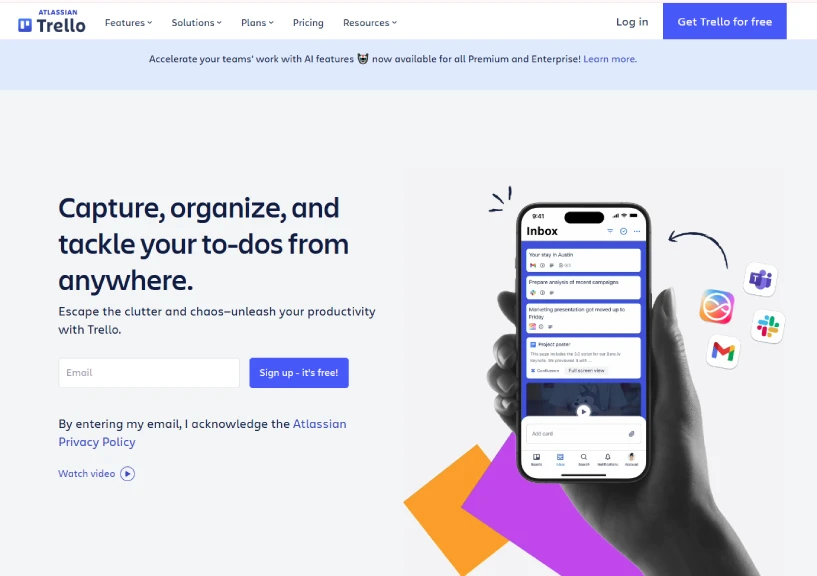
Trello is a visual task management tool built around the Kanban board. You create lists like To Do, Doing, and Done, then add cards for each task that move across the board as work progresses. The interface is simple enough that most VAs can learn it in a single sitting, with no training videos needed. Trello shines for solo founders and small teams who want a clean, drag-and-drop view of who is doing what. Its free plan is generous, which makes it a low-risk first task tool to set up with a virtual assistant.
Key Features
1. Kanban boards with drag-and-drop cards, lists, and labels
2. Butler automation for repetitive tasks like moving cards or assigning members
3. Checklists, due dates, and attachments inside every card
4. Power-Ups that connect Trello to Slack, Google Drive, Calendar, and more
5. Multiple board views, including Timeline, Calendar, Dashboard, and Map (paid)
Best For
Solo founders, freelancers, small marketing teams, and content creators who work with one VA on repeatable workflows like inbox triage, scheduling, light research, and social media coordination.
Pricing
- Starts from $5 per user per month on the Standard plan (annual billing).
- Trello offers a free plan.
Ratings
- G2: 4.4
- Capterra: 4.5
2. Asana
Overview
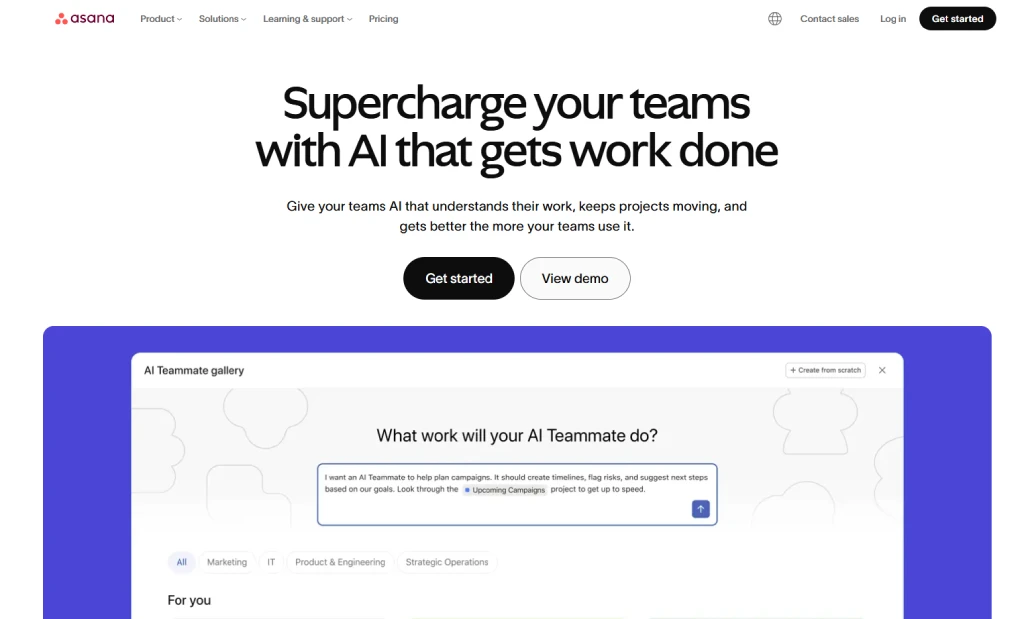
Asana is a task and project management platform built for teams that need more structure than a Kanban board can offer. It supports list, board, timeline, and calendar views, so a VA can see the same project the way they prefer to work. Recurring tasks, subtasks, and dependencies make it easy to turn a routine like "publish the newsletter every Thursday" into a standing process.
Asana also includes a workflow builder, custom fields, and project dashboards, which help when a VA is juggling work from two or three people. It is a step up from Trello in features and learning curve, but still approachable for most non-technical users.
Key Features
1. Multiple project views, including list, board, timeline, and calendar
2. Workflow builder with rules to automate handoffs and approvals
3. Subtasks, dependencies, and recurring tasks for repeatable processes
4. Custom fields, forms, and project dashboards for reporting
5. Goals and portfolios to roll up progress across multiple projects
Best For
Small businesses, agencies, and operations teams where a VA supports two or three stakeholders and needs visibility into requests coming from different directions.
Pricing
- Starts from $10.99 per user per month on the Starter plan (annual billing).
- Asana offers a free plan for up to 10 users.
Ratings
- G2: 4.4
- Capterra: 4.5
3. ClickUp
Overview
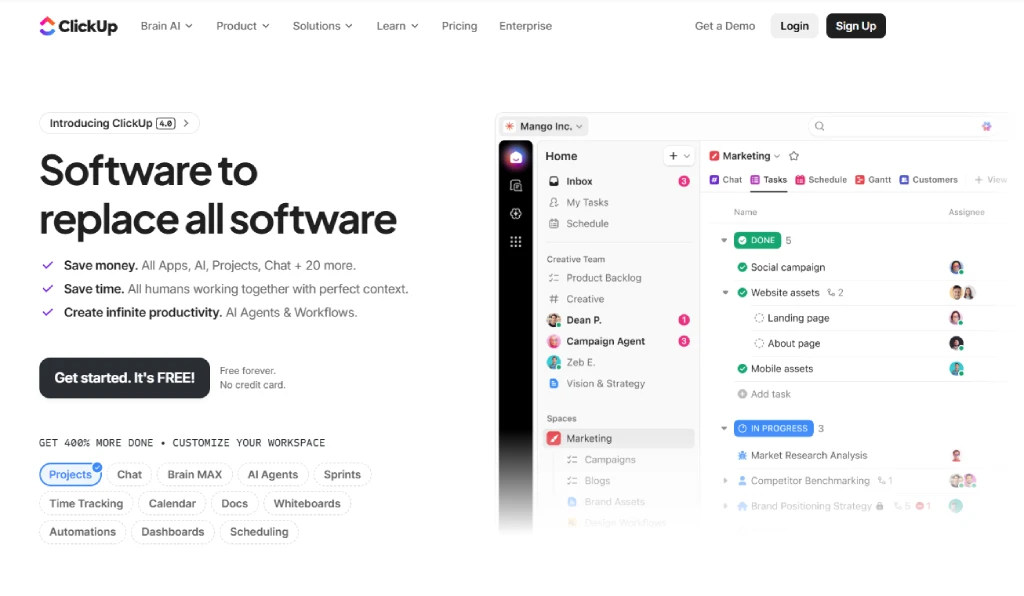
ClickUp is an all-in-one work platform that combines tasks, docs, goals, dashboards, whiteboards, and time tracking inside a single workspace. Where Trello is one screen, and Asana is a few, ClickUp gives you nearly everything in one place, which is why agencies and VA-heavy businesses often pick it. The trade-off is depth: there are more settings, more views, and a steeper learning curve. For a VA who handles many task types across many clients, ClickUp gives flexibility. If you are a solo founder with one VA and a short list of tasks, this tool might be more than you need.
Key Features
1. Fifteen-plus task views, including list, board, Gantt, calendar, mind map, and timeline
2. Built-in docs, whiteboards, and chat inside the same workspace
3. Automations for status changes, assignments, and recurring workflows
4. Goals, dashboards, and custom reporting for client or team-level tracking
5. Native time tracking with estimates, billable rates, and timesheets
Best For
Marketing agencies, VA agencies, operations-heavy startups, and businesses that want one platform to replace several point tools, especially when multiple VAs work across multiple clients.
Pricing
- Starts from $7 per user per month on the Unlimited plan (annual billing).
- ClickUp offers a free forever plan.
Ratings
- G2: 4.6
- Capterra: 4.6
For Communicating Without Living in Each Other's Inboxes
4. Slack
Overview
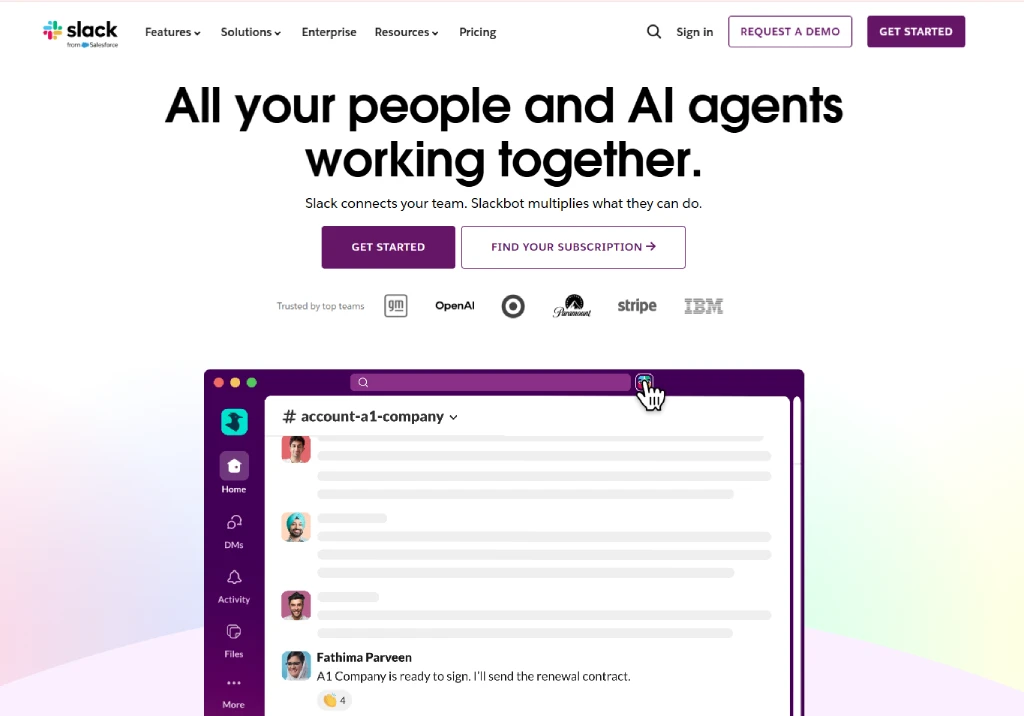
Slack is a team messaging app built around channels in mind, which are separate spaces dedicated to topics, projects, or clients. So, instead of having long email threads, conversations stay organized by channel and stay searchable forever on paid plans. Files, links, and screen recordings attach inline, and integrations let your task tools, calendar, and storage all post updates into the right channel. For a VA, Slack replaces the slow "did you see my email" drip with fast, structured back-and-forth that does not eat your inbox. Voice and video huddles also make it easy to jump on a quick call without scheduling one.
Key Features
1. Channels, threads, and direct messages for organized communication
2. Huddles for quick voice and video calls with screen sharing
3. Clips for short async video or audio messages
4. Searchable message history and file sharing in every channel
5. 2,600-plus integrations with Google Drive, Asana, Trello, Zoom, and more
Best For
Distributed teams, remote-first startups, agencies, and any business owner who manages one or more VAs and wants a cleaner alternative to email and DMs scattered across apps.
Pricing
- Starts from $7.25 per user per month on the Pro plan (annual billing).
- Slack offers a free plan with limited history.
Ratings
- G2: 4.5
- Capterra: 4.7
5. Zoom
Overview
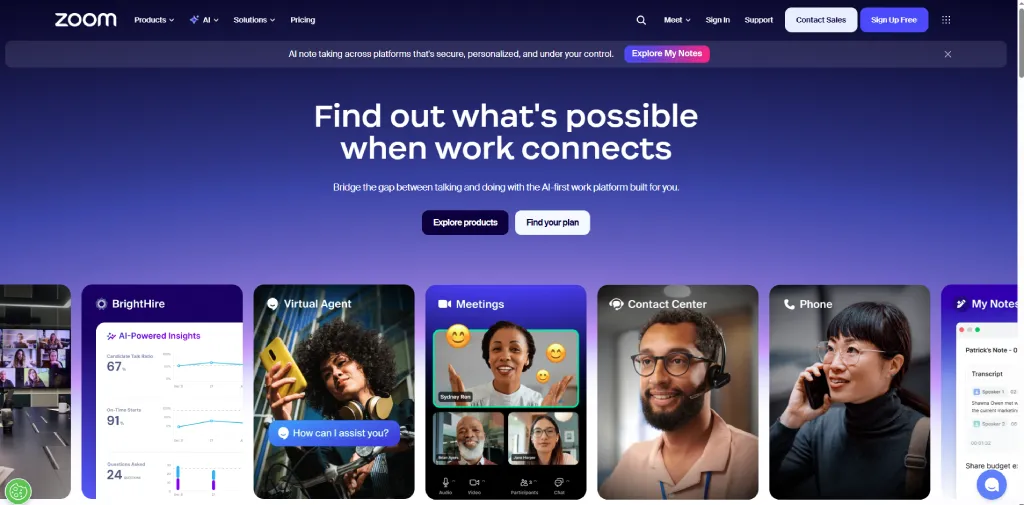
Zoom is The Standard for video meetings, webinars, and screen sharing across remote teams. For a VA setup, the highest-value habit is recording a screen share the first time you teach a new process. You just need to walk through the task once, the VA keeps the recording, and you don’t need to explain it again on the loop. Zoom also offers virtual whiteboards, chat, AI Companion summaries, and integrations with AI video generator tools to help create training content more efficiently. Breakout rooms also help you a lot while training a small VA team. The free plan covers most one-to-one calls, and the paid plans remove the 40-minute group meeting limit, which means you don’t have enough time to explain and discuss things.
Key Features
1. HD video meetings with up to 100 participants on the Pro plan
2. Cloud recording and AI-generated meeting summaries
3. Screen sharing, annotations, and collaborative whiteboards
4. Breakout rooms for training sessions and small group work
5. Persistent team chat, scheduling, and Outlook or Google Calendar integration
Best For
Business owners who train, onboard, or run weekly check-ins with virtual assistants, plus consultants, coaches, and service businesses that meet clients online.
Pricing
- Starts from $13.33 per user per month on the Pro plan (annual billing).
- Zoom offers a free plan with a 40-minute group meeting limit.
Ratings
- G2: 4.6
- Capterra: 4.6
For Scheduling Without the Back-and-Forth
6. Calendly
Overview
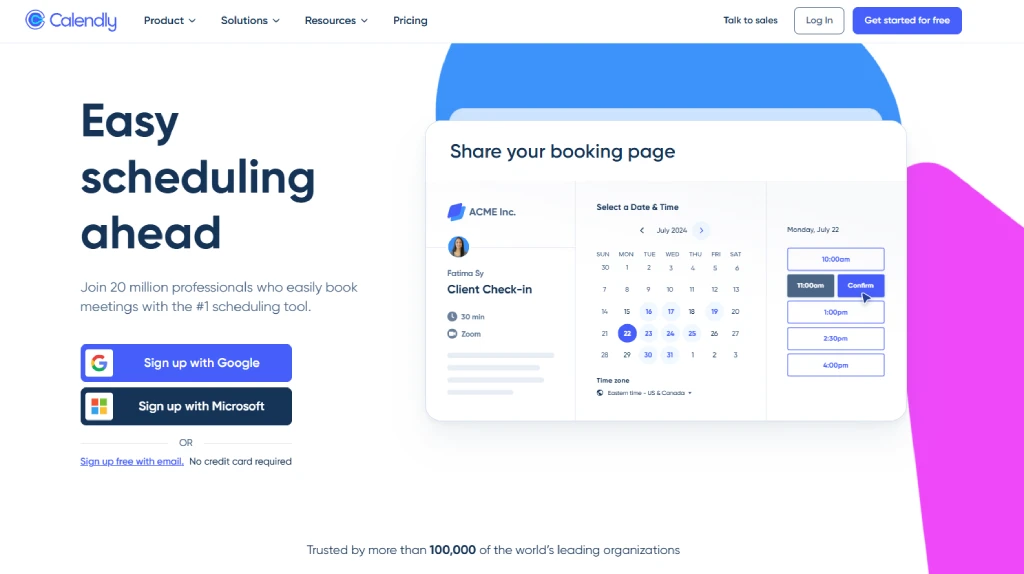
Calendly is a scheduling tool that ends the struggle of finding that one empty spot in the calendar to schedule a meeting. Connect your calendar, set rules for when you are available, and share a single link. Anyone who needs a meeting picks an open slot, and the booking, confirmation, and reminders happen automatically. For your VA who manages your calendar, Calendly removes hours of overhead each week. It supports one-on-one, group, and round-robin scheduling, plus payment collection, intake forms, and integrations with Zoom, Google Meet, and your CRM.
Key Features
1. One-click scheduling with shared booking links
2. Group, round-robin, and collective event types for team scheduling
3. Automated reminders, confirmations, and follow-up emails
4. Intake forms, payment collection, and CRM integrations (HubSpot, Salesforce)
5. Native integrations with Zoom, Google Meet, Microsoft Teams, and Outlook
Best For
Sales teams, coaches, consultants, recruiters, and any founder whose VA spends time coordinating meetings with clients, prospects, or candidates.
Pricing
- Starts from $10 per seat per month on the Standard plan (annual billing).
- Calendly offers a free plan with one event type.
Ratings
- G2: 4.7
- Capterra: 4.7
For Sharing Files and Documents
7. Google Workspace
Overview
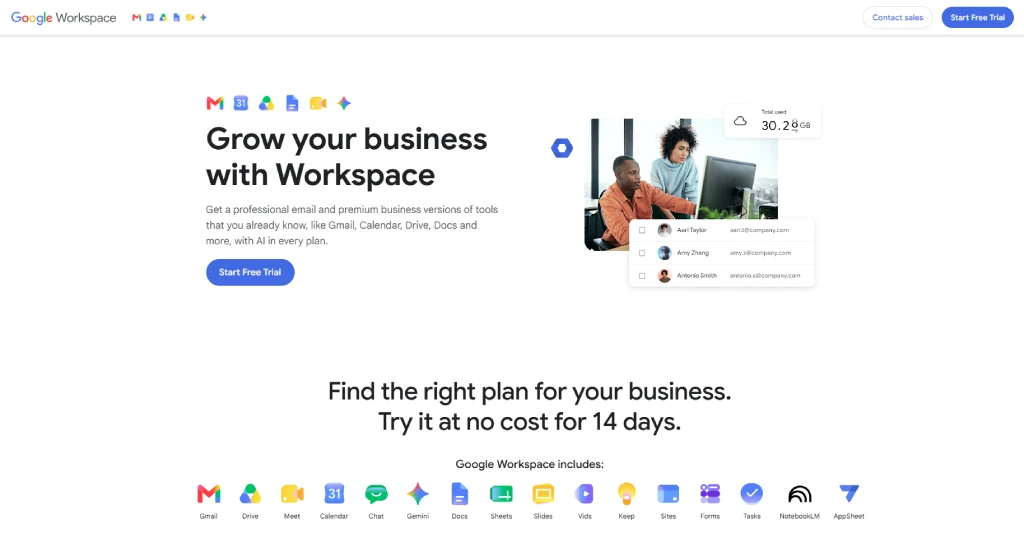
Google Workspace is the bundle of Gmail, Drive, Docs, Sheets, Slides, Meet, and Calendar that most small businesses already run on. Its real strength for VA work is shared editing: you and your VA can be in the same document at the same time, with no emailed attachments and no "final_v3_FINAL" file names. Permissions are simple, so your VA sees only what they should, and almost everyone already knows the basics, which keeps onboarding very simple. The Business Starter plan adds a custom domain email, more storage, and admin controls on top of the free consumer apps.
Key Features
1. Custom domain Gmail with 30 GB pooled storage per user
2. Real-time collaborative editing in Docs, Sheets, and Slides
3. Shared Drives with granular permissions and external sharing controls
4. Google Meet video calls with up to 100 participants
5. Admin console for user management, security policies, and 2-step verification
Best For
Small business owners, solopreneurs, creators, and consultants who want a single account to share email, files, calendars, and docs with a VA without managing separate apps.
Pricing
Starts from $7 per user per month on the Business Starter plan (annual commitment).
Google Workspace offers a free 14-day trial.
Ratings
- G2: 4.6
- Capterra: 4.7
For Tracking Time and Seeing Where It Goes
8. Time Champ
Overview
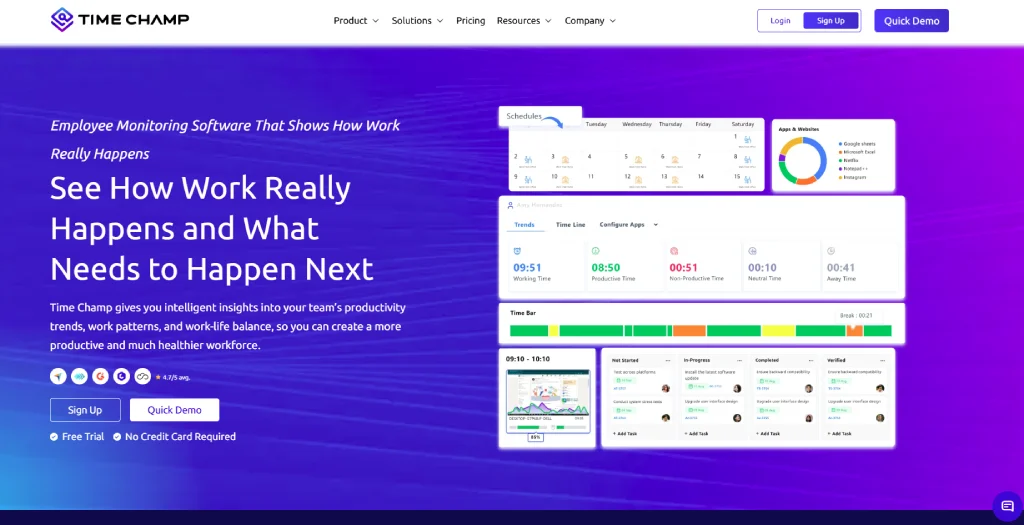
Time Champ is a complete employee monitoring software with a workforce intelligence layer. It provides complete visibility into your team’s workflow by tracking how time is spent across apps, websites, and tasks automatically, with no manual timers, then turns that raw data into insights you can immediately act on.
For someone managing a VA or a small VA team, Time Champ makes a real difference because ultimately, you only need visibility into your VA’s work and progress. Time Champ also includes screenshots capturing, project budgeting, productivity scoring, and integrations with task tools, so the visibility layer plugs neatly into the rest of your VA stack.
Key Features
1. Automatic time tracking across apps, websites, and projects (no manual timers)
2. Productivity scoring with productive, neutral, and unproductive categorization
3. Optional screenshots, app usage logs, and idle-time detection
4. Project budgets, billable hours, and detailed timesheets
5. Workforce intelligence dashboards for focus, attendance, and team trends
Best For
Founders managing one or more VAs, remote-first teams, BPOs, agencies, and service businesses that bill clients by the hour and need real visibility into output, not just self-reported hours.
Pricing
- Starts from $3.9 per user per month on the Starter plan.
- Time Champ offers a 7-day free trial.
Ratings
- G2: 4.8
- Capterra: 4.9
Want to delegate and see how it goes?
Use Time Champ to assign and see how the task is progressing!
9. Toggl Track
Overview
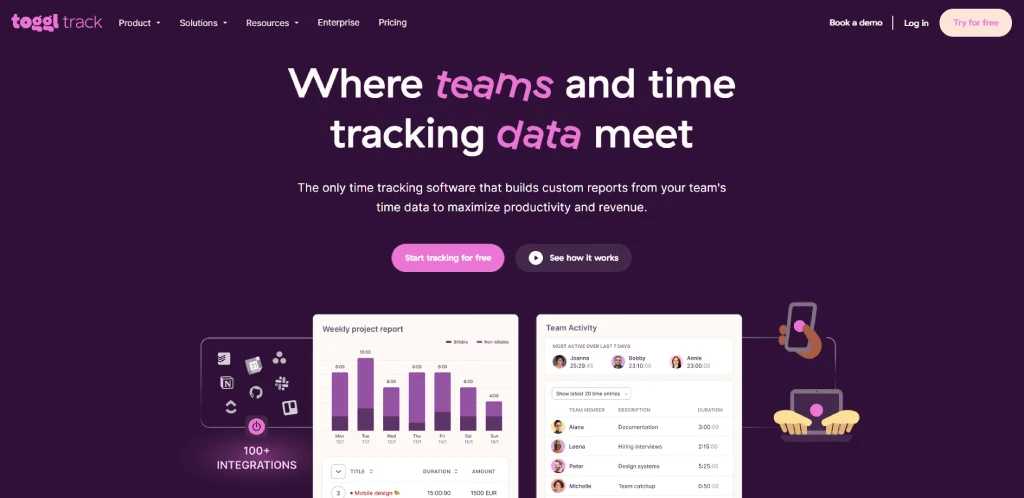
Toggl Track is a lightweight time tracker built around one big timer button. Your VA can start it when a task begins, stop it when the task ends, and tag the entry to a project or client. It is quick to adopt, clean for straightforward billing, and works on web, desktop, and mobile. Toggl is best when you trust the VA's process and just need clean hours by project, not a deeper picture of where focus is going. It answers "how long did this take" cleanly, but it does not surface app or website-level patterns the way a workforce intelligence tool does.
Key Features
1. One-click manual time tracking on web, desktop, and mobile
2. Project, client, and tag-based reporting with billable rates
3. Idle detection and Pomodoro timer for focus work
4. Calendar integrations with Google Calendar and Outlook
5. 100-plus integrations with Asana, Trello, ClickUp, Jira, and more
Best For
Freelance VAs, solo consultants, small agencies, and design or development teams that bill by the hour and want frictionless project-level time logs without the monitoring layer.
Pricing
- Starts from $9 per user per month on the Starter plan (annual billing).
- Toggl Track offers a free plan for up to 5 users.
Ratings
- G2: 4.6
- Capterra: 4.7
10. RescueTime
Overview
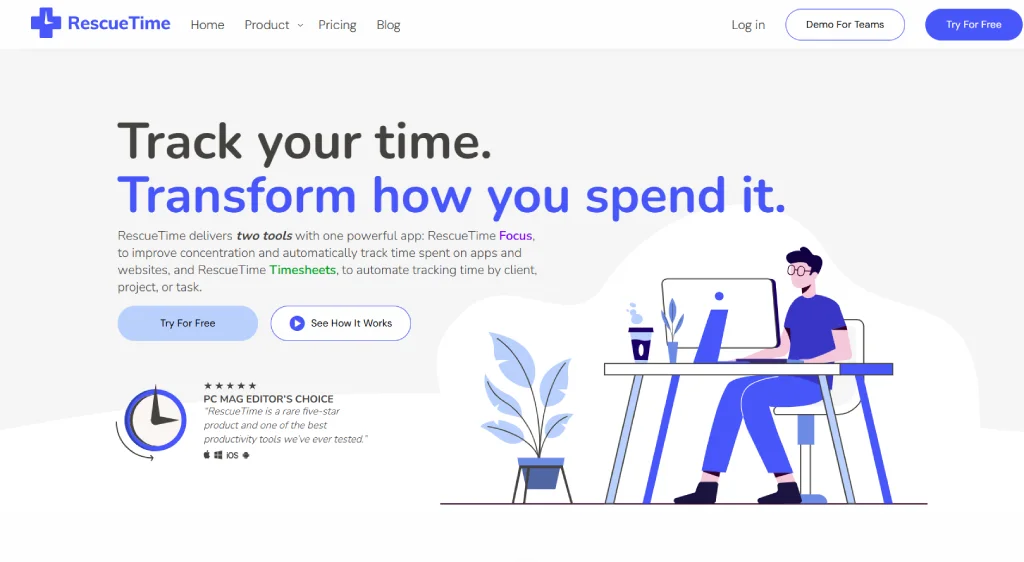
RescueTime is a time tracker that runs quietly in the background and automatically logs which apps and websites the time went to, with no manual input at all. It is built for personal awareness, helping a VA see their own focus and distraction habits, set daily focus goals, and block distracting sites during deep work sessions. RescueTime leans more toward self-improvement than manager visibility, which is why it pairs well with a team-level tool. For a VA who wants to manage their own attention, it is one of the easiest tools on this list to set up and forget.
Key Features
1. Automatic background tracking of app and website use
2. Daily focus goals and personalized productivity scores
3. Focus Sessions that block distracting sites during deep work
4. Smart alerts when you spend too much time on a category
5. Weekly email reports with productivity trends
Best For
Solo VAs, freelancers, writers, developers, and knowledge workers who want personal focus data to manage their own time, rather than team-level monitoring.
Pricing
- Starts from $6.50 per month on the Solo Premium plan (annual billing).
- RescueTime offers a limited free version.
Ratings
- G2: 4.2
- Capterra: 4.6
For Sharing Access Without Sharing Passwords
11. 1Password
Overview
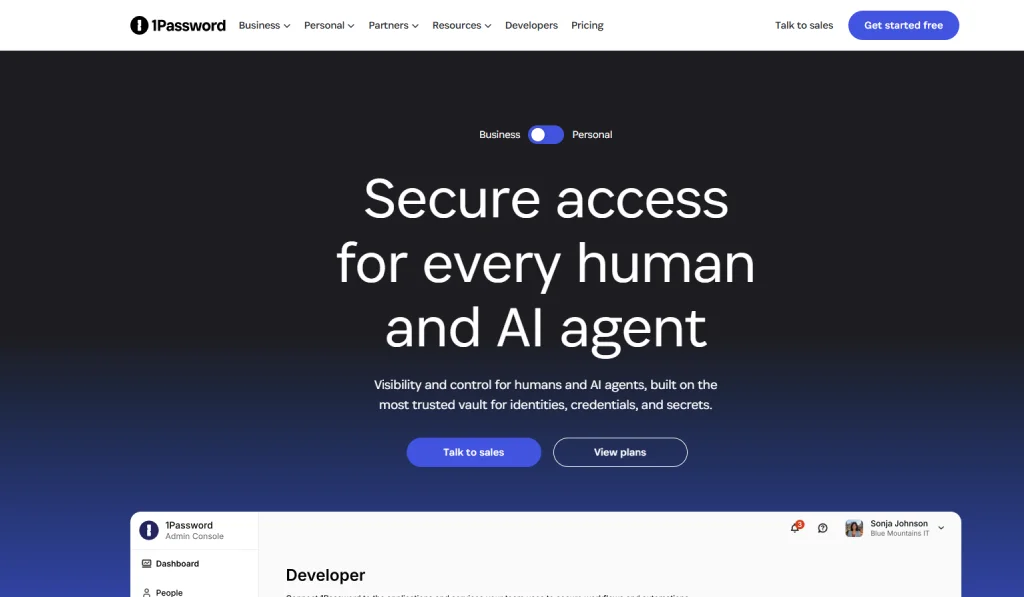
1Password is a password manager built for teams that need to constantly share logins safely. You store every credential in a vault, share specific items with the VA, and they can log into the account without ever seeing the password itself. When the project ends, or the VA moves on, you can revoke access in one click. 1Password is the polished, business-friendly option in this category, with strong admin controls, audit logs, and provisioning integrations for tools like Okta and Azure AD. It also gives every business seat holder a free Families plan, which is a nice touch for VA relationships.
Key Features
1. Shared vaults with granular item-level permissions
2. One-click login through browser extensions and mobile apps
3. Travel Mode, secrets automation, and developer tools (SSH, CLI)
4. Activity logs, audit reports, and admin console for monitoring access
5. SSO and provisioning integrations with Okta, Azure AD, and Google Workspace
Best For
Established small businesses, agencies, and operations teams managing shared access for VAs across email, social, ad accounts, and SaaS tools, where compliance and audit trails matter.
Pricing
- Starts from $7.99 per user per month on the Business plan (annual billing).
- 1Password offers a Teams Starter Pack flat rate of $19.95 per month, which covers up to 10 users.
Ratings
- G2: 4.6
- Capterra: 4.7
12. Bitwarden
Overview
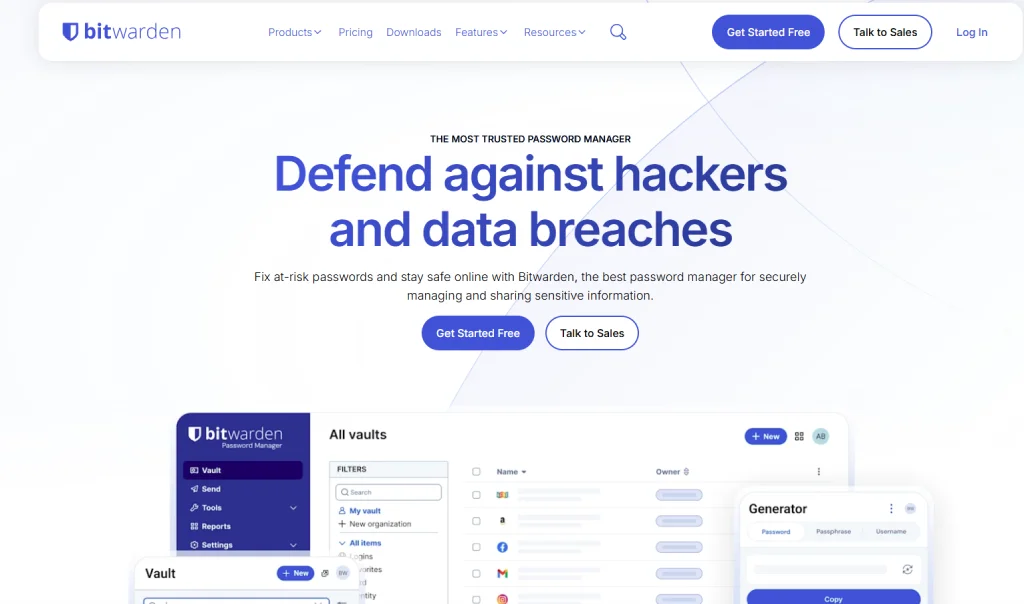
Bitwarden is the open-source password manager that competes with 1Password on features at a fraction of the cost. It supports shared collections, role-based access, event logs, and directory sync, which means you can still onboard a VA, share specific logins, and remove their access cleanly when the work ends. Bitwarden has the most usable free tier in this category and a Teams plan that is meaningfully cheaper than 1Password's Business plan. The interface is slightly more intuitive, but if you are a cost-conscious or security-minded founder, then it is a strong pick.
Key Features
1. Shared collections with role-based access controls
2. End-to-end encrypted password, note, and credit card storage
3. Self-hosting option for teams with strict data residency rules
4. Event logs, directory sync, and SCIM provisioning
5. Open-source codebase with regular third-party security audits
Best For
Cost-conscious founders, technical teams, freelancers, and small agencies that want enterprise-grade password sharing with a VA without enterprise-grade pricing.
Pricing
Starts from $4 per user per month on the Teams plan (annual billing).
Bitwarden offers a generous free plan and a Premium individual plan for $10 per year.
Ratings
- G2: 4.6
- Capterra: 4.7
What to Look for in Virtual Assistant Software?
Look for tools your VA will actually use, that give you shared visibility, integrate with what you already run, take minutes to set up, and still work if you add a second or third VA. The best virtual assistant software is almost invisible. It supports the work without becoming the work.
Here is a short test any tool should pass before it earns a spot in your stack:
• Your VA will Actually Use It: A tool the VA quietly avoids is worse than having no tool at all, ask them before you buy.
• It Gives You Shared Visibility: If only one of you can see the work, it is not collaboration software, it is a silo.
• It Integrates with Your Stack: A tool that does not talk to your calendar, email, or project board just adds copy-and-paste work.
• It is Fast to Set Up: If onboarding the tool takes longer than the task it helps with, skip it.
• It Scales: The setup that works for one VA should still work for three. Re-tooling every time you grow is expensive.
Let me talk with an example here, a solo founder, you can call her Maya, bought a polished 20-dollar-a-month project tool, set it up beautifully, and her VA never opened it even once.
The VA lived in an email.
Six weeks of "why isn't this updated" later,
Maya switched to the tool the VA already used, and the problem disappeared in just an afternoon.
So, the lesson here is to buy for the person doing the work, not for the demo.
With that filter in hand, here is the list. Grouped by job, with each tool explained, because that is how delegation actually works.
How to Actually See What Your Virtual Assistant Gets Done?
Solution: Visibility helps you see everything, even a remote virtual assistant’s work.
Constantly asking the VAs what he/she are doing, how long it’s going to take? All of these will just build pressure on them, they might even respond with all good, almost done." That is not dishonesty. It is just the only answer the question allows.
Task management tools show you what is assigned, time tracking shows where the work hours actually went, and when combined, they provide complete task visibility.
This is where Time Champ completely fits in. Time Champ is employee monitoring software with a workforce intelligence layer, which, in simple terms, means it does not just log hours, it helps you visualize the data, like which apps and tasks took the most time, when your virtual assistant was most focused, and where the work is getting piled up.
For someone managing a VA, or a small VA team, that is the difference between hoping the delegation is working and knowing it is.
And to be clear, this is not about watching someone type or looking into the number of mouse clicks they are giving. A good VA wants their work to be visible because invisible work is unappreciated work. In fact, entrepreneurs regain roughly 13 to 15 hours per week by delegating tasks to VAs.
Visibility is how you can actually point to a number like that, instead of just feeling barely helped.
Get the stack and the visibility right, and virtual assistant software pays for itself fast. Get them wrong, and you are just paying for tools nobody opens. Here is how that happens.
Hired a VA but flying blind?
Time Champ shows you how your virtual assistant's time is spent, by task, app, and project, so you can manage the work smartly.
What Mistakes Make Virtual Assistant Software a Waste of Money?
Honest answer: Virtual assistant software is a real waste when you buy too many tools, pick tools your VA will not use, skip the visibility layer, never properly onboard anyone, or choose based on features instead of the actual job it does.
- Tool Overload: Five task apps are not five times the organization, there are just five different places to check, which means you are using one tool per job, not one tool per 5 jobs.
- Buying For You, Not For the VA: If your VA will not use it, the vast feature list does not matter, so take their opinion before you buy.
- Skipping The Visibility Layer: A stack with no time or output tracking looks fine, but it is not really, you just cannot see any gaps with a tool that refuses to bring visibility.
- No Real Onboarding: Handing over login credentials is not complete onboarding, because a 6-year-old can do that too. Thirty minutes walking through the tool and explaining what all features you are going to use saves weeks of "I didn't know it did that."
- Choosing on Features, Not Jobs: The tool with the longest feature list rarely wins, but the tool that does one job cleanly does win a hundred times.
Some quick math on why all of this matters. founders and CEOs with high "delegator" talent generated 33 percent greater revenue than those with limited delegation ability (Gallup's study of Inc. 500 CEOs). Bad software quietly eats that gain before you ever get to see anything.
Key Takeaways
- A virtual assistant is not a magic time machine
- You only get those hours back when the setup is right, and your software is half of that setup
- Keep the stack short
- Use one tool for 5 jobs
- The ones your VA will actually open
- Get visibility and see how the delegation is moving the work
- Sit back and let the work get finished.

Shabana Shaik

Table of Content
 What is Virtual Assistant Software?
- The Best Virtual Assistant Software, by Job to be Done
- Here’s a quick comparison table:
- 1. Trello
- Pricing
- 2. Asana
- Ratings
- 3. ClickUp
- 4. Slack
- 5. Zoom
- Ratings
- 6. Calendly
- Pricing
- Ratings
- 7. Google Workspace
- 8. Time Champ
- 9. Toggl Track
- 10. RescueTime
- 11. 1Password
- 12. Bitwarden
- What to Look for in Virtual Assistant Software?
- How to Actually See What Your Virtual Assistant Gets Done?
- What Mistakes Make Virtual Assistant Software a Waste of Money?
- Key Takeaways

Related Blogs

Discover the cost of a virtual assistant and the factors influencing their rates. Learn how to budget effectively for remote support services tailored to your needs.
Shabana Shaik | Feb 26, 2024
Discover the top 10 collaboration tools for remote teams that enhance communication, productivity, and project management. Boost your team’s efficiency!
Sai Keerthi Uppala | Oct 25, 2024![16 Best Project Management Software for [2026]](https://www.timechamp.io/images/blog-images/best-project-management-software-67e78b92.webp)
Find the 16 best project management software for 2026. Compare features, pricing, pros & cons to streamline workflows and drive smarter decisions.
Sai Keerthi Uppala | April 02, 2026
Discover the secrets of a remote workforce management with maximum efficiency. Our expert guide offers proven strategies to boost productivity and success.
Mounika Sai | June 06, 2026
Discover the 12 key advantages of outsourcing your business operations efficiently and effectively. Maximize productivity and growth potential today!
Mounika Sai | Dec 06, 2026
Track time smarter, not harder! Explore the 10 best time tracking apps to simplify time management and maximize productivity effortlessly!
Sai Keerthi Uppala | Dec 05, 2026


 4.7/5 avg.
Ready to Manage Your Workforce Smarter?
Join our family of 1500+ companies using smart insights to redefine workforces!

Free Trial
No Credit Card Required