How to Track Time for Remote Workers: Methods & Best Practices
Learn how to track time for remote workers using simple methods and remote tracking tools and learn best practices that improve trust and productivity.

How do you know if your remote team is managing work hours properly when everyone works from different locations?
That’s the main problem every business has today.
When your employees work remotely, tracking work hours, managing workloads, and maintaining project schedules can be more difficult. This is one of the primary reasons for more businesses implementing remote time tracking today. According to a recent Gallup report, remote and hybrid work continues to be a major part of the modern workplace.
Here, you will learn why remote time tracking matters, the most common ways businesses track remote employee hours, and the best practices that help teams improve accountability without affecting trust.
Why Time Tracking Matters More for Remote Teams
Tracking time in a remote workplace is very different from tracking time inside a physical office. In a physical office, you can quickly check who is available, who is working on what, and how the day is moving. But that visibility disappears when your teams work in multiple locations.
- Lack of Visibility into Daily Work Hours: Time tracking helps you understand employee availability, work progress, and how work hours are being spent across remote teams.
- Challenges of Managing Teams Across Multiple Time Zones: Tracking time makes it easier to manage schedules, coordinate meetings, and improve communication across different time zones.
- Balancing Employee Accountability Without Micromanagement: Helps you maintain accountability while still giving employees flexibility and trust.
- Difficulty Measuring Workload and Team Capacity Remotely: Tracking data helps you identify workload imbalances before they lead to missed deadlines or employee burnout.
- Payroll and Billing Errors Become Harder to Detect: Automated time tracking helps reduce payroll mistakes, missed work hours, and billing inaccuracies.

Did You Know?
According to the Deloitte Global Survey, almost 80% of companies now allow employees to work remotely or in a hybrid setup. As more companies shift to remote and hybrid work, tracking employee time and productivity has become much more important.
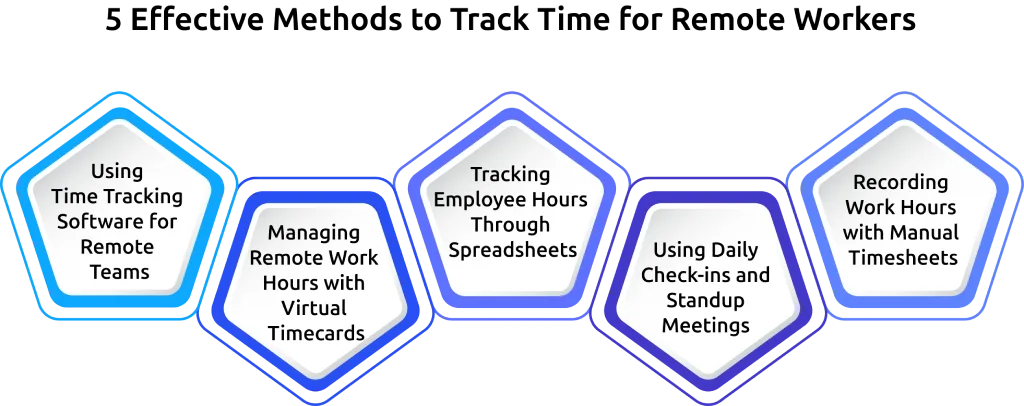
5 Effective Methods to Track Time for Remote Workers
There are different ways to track remote employee hours. Some methods work well for small teams, while others are better for growing businesses.
Quick Comparison Table
| Method | Accuracy | Effort | Best For |
|---|---|---|---|
| Time Tracking Software | High | Low | Growing remote teams |
| Virtual Timecards | Medium | Medium | Shift-based remote work |
| Spreadsheets | Medium | High | Small teams |
| Daily Check-ins | Low | Medium | Team communication |
| Manual Timesheets | Low | High | Very small businesses |
Method 1: Using Time Tracking Software for Remote Teams
If your remote team is growing, time tracking software like Time Champ is usually the easiest way to manage work hours accurately. These tools automatically track your employees’ work hours, active time, project progress, and productivity across different devices and locations. For remote teams, software tracking often saves you time while reducing manual errors.
Method 2: Managing Remote Work Hours with Virtual Timecards
Virtual timecards work like digital punch cards for your remote employees. Your employees simply clock in when they start work and clock out when they finish their shift. This method works well if your team follows fixed schedules, such as customer support or operations teams. However, if your employees work on multiple projects throughout the day, virtual timecards may not give you detailed productivity insights.
Method 3: Tracking Employee Hours Through Spreadsheets
If you manage a very small remote team, you may use spreadsheets to track employee hours. Your employees manually enter their start times, end times, and total hours worked each day.
While this method is affordable, it also creates extra work for you. Employees may forget to update hours, formulas may break, and reviewing timesheets manually can become time-consuming. As your remote team grows, spreadsheets usually become harder to manage.
Did You Know?
Recent research by OEM America showed that about 20% of the payroll is inaccurate, and it takes $291 to fix each error.
Method 4: Using Daily Check-ins and Standup Meetings
Daily check-ins help you understand what your remote employees are working on. During standups or chat updates, your team shares completed tasks, ongoing work, and blockers they are facing. This method improves communication and collaboration, but it does not give you accurate time tracking data on its own.
For better visibility, you should combine daily check-ins with a proper time tracking system.
Method 5: Recording Work Hours with Manual Timesheets
Manual timesheets are a way to track remote employee hours. Your employees need to write down their work hours manually and submit reports every week or month. However, this method can create more mistakes because there is no automatic tracking or verification process.
For teams that are using manual timesheets often increases administrative work and makes managing payroll more difficult.
Still relying on manual tracking methods?
Automate time tracking to reduce errors and simplify remote workforce management with Time Champ.
5 Best Practices for Remote Time Tracking
Remote time tracking works better when businesses follow clear and fair practices.
Create a Clear Remote Time Tracking Policy
Employees need to know what is being tracked when the tracking starts and how the information will be used. A simple written employee monitoring policy helps reduce confusion and builds trust across the team. Your policy should also explain what working hours are, break rules, overtime expectations, and the privacy guidelines.
Choose a Time Tracking Tool That Fits Your Team’s Workflow
Not every tracking tool works well for every team. Some remote teams need payroll integrations. Others need project tracking, attendance management, or productivity reporting. Choose a tool that matches your team's workflow instead of selecting software with features that you do not need.
Build Transparency and Trust Around Time Tracking
Your employees should never feel surprised by the tracking systems. You need to explain why the company uses tracking tools and allow remote employees to access their reports whenever possible. When remote employees understand the purpose behind the time tracking, they are more likely to support the process.
Review Time Tracking Data Weekly Instead of Daily
Checking remote employee reports every hour creates a lot of pressure and frustration. You can use reviews to identify workload issues, project delays, or scheduling problems without creating unnecessary stress for the remote team.
Support Flexible Work Hours Across Multiple Time Zones
Remote teams often work on different schedules depending on their location and responsibilities. Good time tracking systems support flexibility instead of forcing every employee to work on the same schedule. This helps remote teams collaborate effectively and reduces burnout.
Privacy and Trust in Remote Time Tracking
Privacy is one of the biggest concerns employees have about remote tracking. Many employees worry that tracking software will monitor personal activities or invade their privacy outside work hours. To avoid these worries, you should be transparent and honest from the start. Your employees should know:
- What information is being tracked
- When the tracking is happening
- Who can see the reports
- How long will the data be kept
- Whether screenshots or activity reports are being used
It is also important to avoid tracking during non-working hours. For example, you don’t monitor employees on weekends, holidays, or personal time unless they clearly agree to it. Time tracking works best when you use the data to help employees, not to control them.
How Time Champ Tracks Time for Remote Teams
Managing a remote team becomes much easier when you have clear visibility into employee work hours, productivity, and daily activities. Time Champ helps you simplify remote workforce management while improving transparency and accountability across your team.
It gives you a centralized system to monitor work progress, manage attendance, and understand how your team spends time across different projects and tasks. Regardless of whether your staff is working remotely or from multiple time zones, Time Champ will help you be in touch with your workforce without adding any complications.
- Automatic Time Tracking Across Devices: Automatically tracks employee work activity across desktops, laptops, and mobile devices without requiring manual timers or timesheet entries.
- Real-Time Productivity Monitoring: Helps you understand how employees spend their work hours by tracking productive and non-productive activities in real time.
- Time-Zone Aware Reporting: Records employee work hours based on local time zones while giving you centralized reports for easier scheduling and payroll management.
- Employee-Facing Dashboards: Allows employees to access their own work hours, attendance records, and productivity reports, creating better transparency across the team.
- Attendance and Work Hour Tracking: Helps you monitor employee attendance, break hours, late arrivals, and total work hours from one dashboard.
- Configurable Privacy Controls: Let's you customize screenshot frequency, tracking settings, and monitoring preferences based on your company policies.
Ready to simplify remote employee time tracking?
Improve visibility, reduce manual work, and track work hours automatically with Time Champ.
Wrapping Up
Tracking time for remote workers helps you improve visibility, manage workloads, maintain accountability, and support better collaboration across distributed teams. Along with the right tools, clear policies, transparency, flexibility, and employee trust are essential for creating a productive and healthy remote work environment.

Guna Lakshmi

Table of Content
 Why Time Tracking Matters More for Remote Teams
- 5 Effective Methods to Track Time for Remote Workers
- 5 Best Practices for Remote Time Tracking
- Privacy and Trust in Remote Time Tracking
- How Time Champ Tracks Time for Remote Teams
- Wrapping Up



 4.7/5 avg.
Ready to Manage Your Workforce Smarter?
Join our family of 1500+ companies using smart insights to redefine workforces!

Free Trial
No Credit Card Required