9 Free Time Blocking Templates (Excel, Word & PDF)
Download free time blocking templates in Excel, Word, and PDF. Plan your day, week, month, or year with structured time slots and clear task allocation.
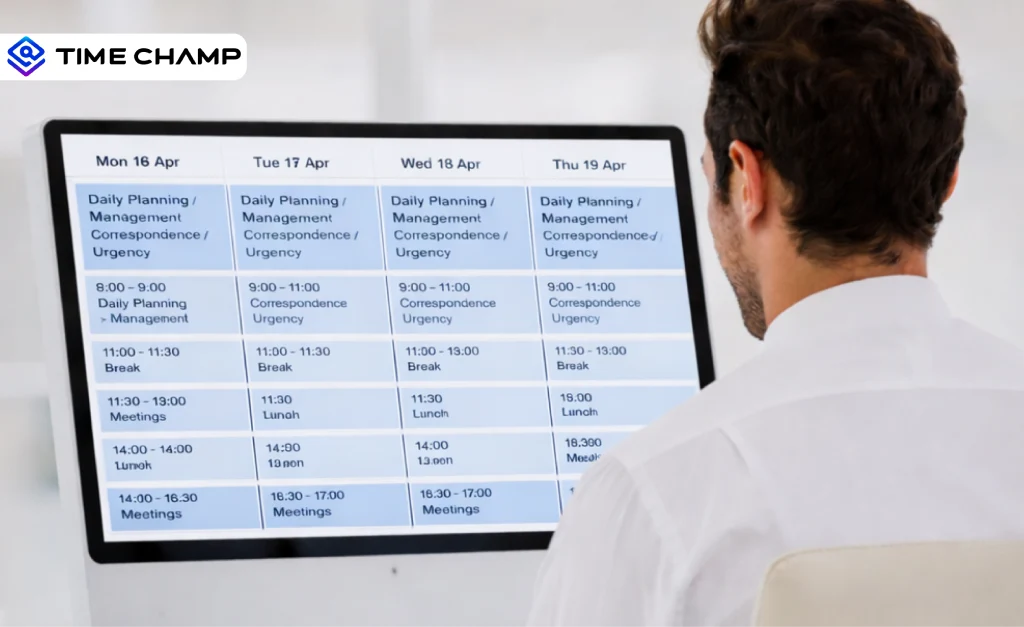
Trying to manage your day without structure often leads to missed priorities, constant context switching, and work spilling into hours you never planned for. A time blocking template solves this by helping you assign specific tasks to specific time slots, so your calendar reflects real execution time instead of a scattered to-do list.
In this guide, you’ll find free time blocking templates in Excel, Word, and PDF formats, along with clear instructions on how to use them for daily and weekly planning. You can also learn how to list tasks, estimate time accurately, place work into focused blocks, and adjust plans as priorities shift.
What Are the 9 Types of Time Blocking Templates?
Time blocking templates come in different formats because everyone manages time differently. There are templates which are applicable in everyday life, which assist in weekly planning, and which assist in prioritizing in focused blocks. Research shows that 73% of professionals say structured “windowed” work time improves productivity by reducing interruptions during complex tasks. This highlights the importance of planning work in dedicated time blocks instead of handling tasks randomly throughout the day.
Here’s a simple breakdown of each type so you can choose the right template for your workflow.
1. Time Blocking Template
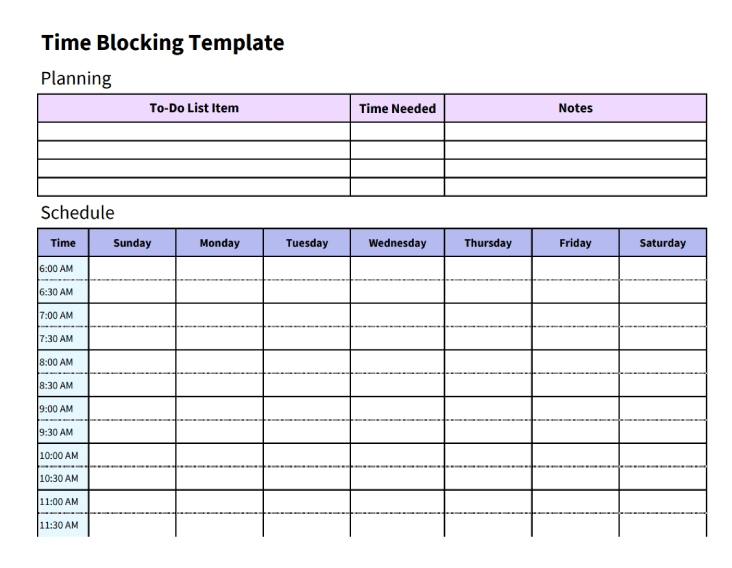
A basic time blocking template divides your day into dedicated blocks so you can plan tasks with intention instead of jumping between them. You assign each block to a specific activity, routine, or priority. This template gives your day structure, protects your focus, and helps you see exactly where your time goes. It works well for anyone who wants clarity and fewer distractions in their schedule.
Key Features
- Hour‑Based Layout: Organizes each day into clear hourly blocks for structured planning.
- Colour-Coded Sections: Separates task categories visually to improve quick recognition.
- Priority Tags: Highlights high‑value tasks to focus attention on what matters most
- Space for Notes: Captures important reminders, action items, or quick thoughts.
- Task Duration Markers: Tracks how long activities take to support realistic scheduling.
Best For
Team leads and managers who handle varied responsibilities and need a structured daily layout to plan their focus blocks with clarity and consistency.
2. Daily Time Blocking Template (15-Minute)
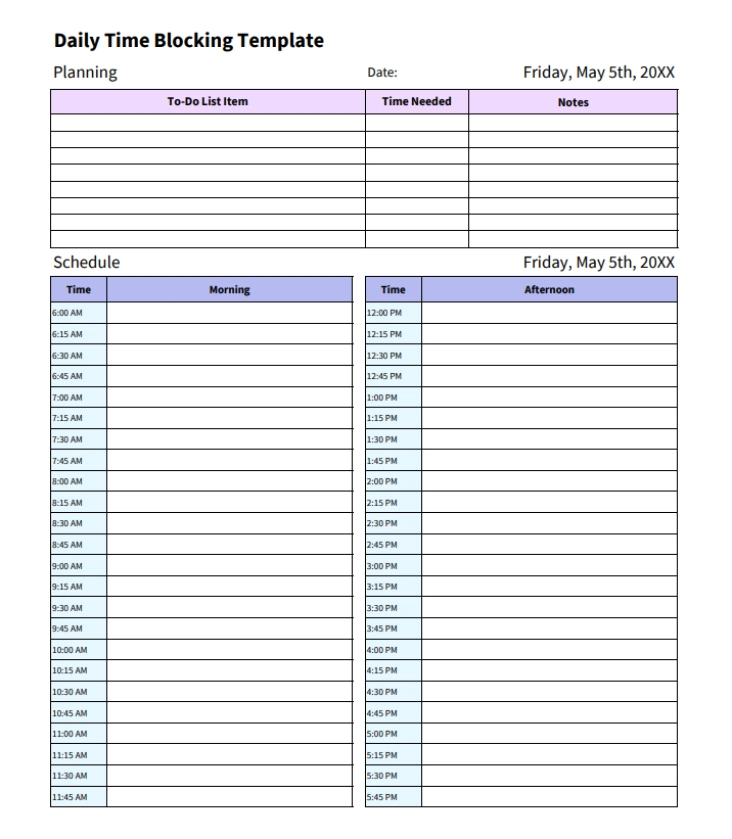
A daily time blocking template, also known as a 15-minute daily time blocking template, gives your day a clear structure from start to finish. It divides the schedule into 15‑minute blocks, allowing you to map out tasks in short, manageable segments. This setup helps you organize busy workloads, break larger activities into focused chunks, and plan your day in a realistic sequence.
Key Features
- Fifteen‑Minute Intervals: Breaks the day into short, manageable time blocks.
- Detailed Daily Layout: Supports close tracking of tasks and activities.
- Flexible Time Sections: Adjusts easily to different routines and changing needs.
- Task Placement Guide: Helps position work during high‑energy periods.
- Clear Start‑to‑End Timeline: Gives a full view of the day for smooth planning.
Best For
Professionals with fast‑moving schedules who need tight control over their time and prefer planning their day in short, focused intervals to maintain clarity and steady productivity.
3. 30-Minute Daily Time Blocking Template
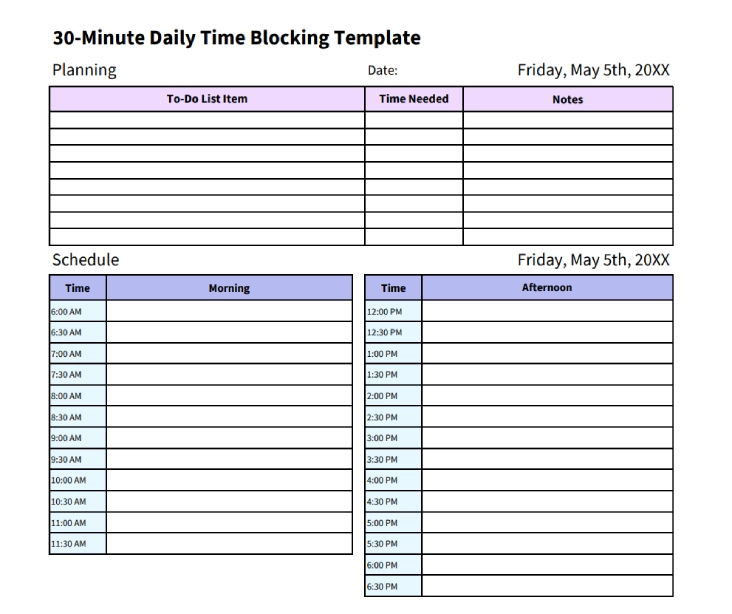
A 30‑minute daily time blocking template gives your day a clear rhythm without overwhelming you with too many tiny segments. It breaks down the day into half-hour segments, which helps you to plan larger projects, schedule intensive work and maintain your day on track. This format works well when you want structure but don’t need the tight detail of shorter intervals.
Key Features
- Half‑Hour Intervals: Breaks the day into structured, practical time blocks.
- Clean Daily Layout: Gives a simple timeline for task planning and focus.
- Flexible Scheduling Space: Fits different types of work without feeling crowded.
- Priority Markers: Helps highlight key tasks that need attention first.
- Clear Start‑to‑Finish View: Shows the full daily flow for easy planning.
Best For
Professionals who prefer a steady pace through the day and want a clear, half‑hour structure to organize focus sessions, manage varied tasks, and maintain a balanced workflow without micromanaging every minute.
4. 24-Hour Daily Time Blocking Template
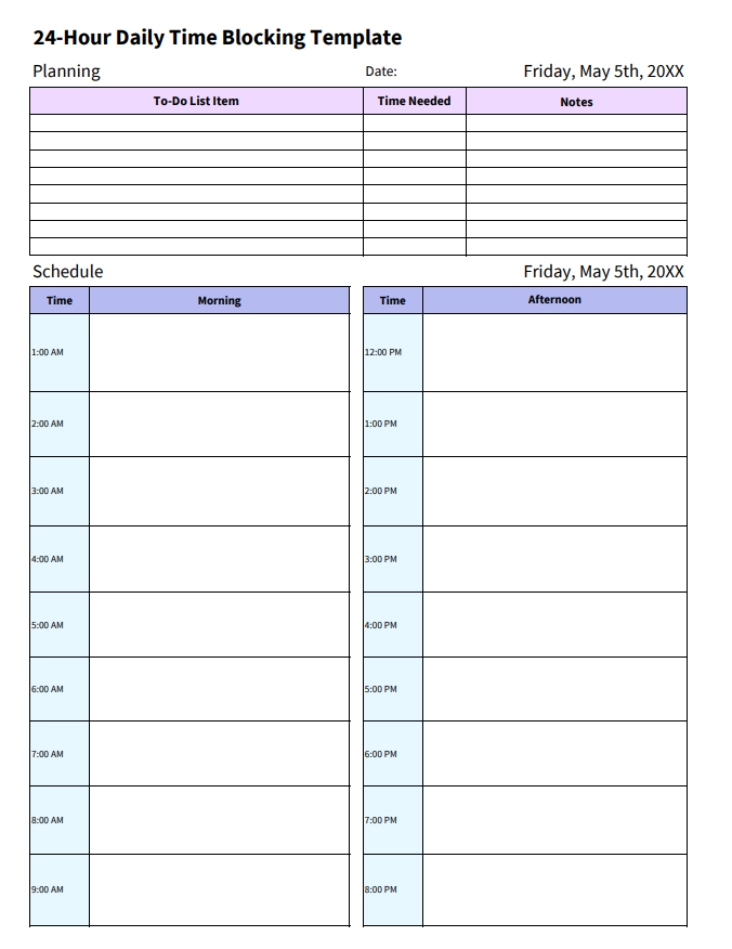
It is much simpler to plan the whole day when the schedule shows the whole twenty-four hours, not only the main working period. A 24‑hour time blocking template lays out the full day in hourly sections, giving you room to map morning routines, work commitments, evening tasks, and late‑night activities in one place. This format supports days that run on flexible or extended timelines, especially when work overlaps with personal responsibilities or involves coordination across different time zones.
Key Features
- One‑Hour Time Blocks: Organizes the full day into clear hourly segments.
- Full 24‑Hour Timeline: Covers morning, daytime, evening, and late‑night hours.
- Space for Personal and Work Tasks: Supports complete planning across all parts of life.
- Simple Daily Layout: Keeps the entire day visible without clutter.
- Balanced Daily Overview: Shows how work and personal activities fit together.
Best For
Teams that coordinate around various time frames, groups that operate under rotating schedules, and individuals who need to handle tasks that stretch from early mornings to late evenings.
Explore more tips and strategies for effective time blocking
Elevate your productivity to the next level!
5. Weekly Time Blocking Template
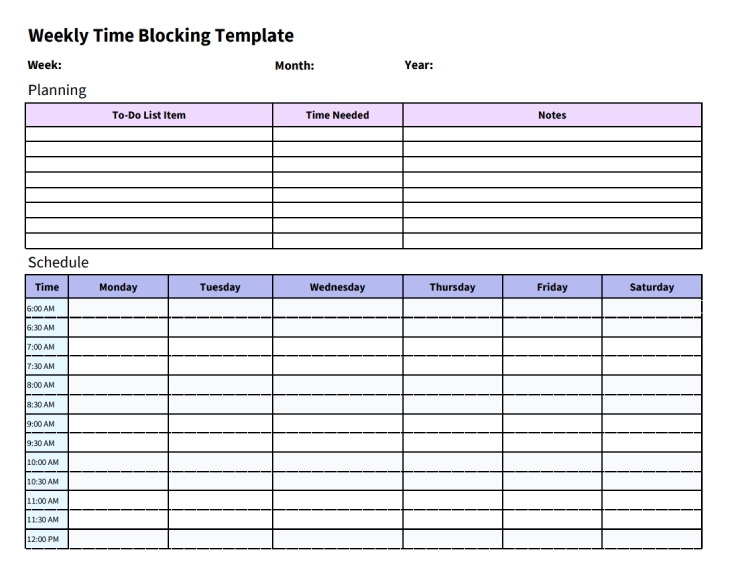
A weekly time blocking template gives a full view of how the entire week unfolds, helping you plan work patterns, routines, meetings, and focus blocks in one structured layout. Instead of looking at tasks day-by-day, this format highlights how your time spreads across multiple days, which makes planning smoother and more intentional. The template breaks the week into manageable time blocks so you can place tasks where they fit best, whether that's mornings for deep work, afternoons for collaboration, or evenings for lighter routines.
Key Features
- Weekly Overview Grid: Shows all seven days in a clean, organized format.
- Half‑Hour Scheduling Blocks: Break the week into practical, easy‑to‑plan segments.
- Notes and Reflection Area: Supports end‑of‑week review and adjustments.
- Task Placement Flexibility: Fits different workflows, routines, and energy levels.
- Clear Workload Distribution: Helps spread tasks evenly across the week.
Best For
Teams that coordinate weekly deliverables, managers who plan workloads across multiple days, and anyone who prefers seeing their full schedule at a glance to balance priorities, avoid overcrowded days, and maintain steady progress throughout the week.
6. 5-Day Weekly Time Blocking Template
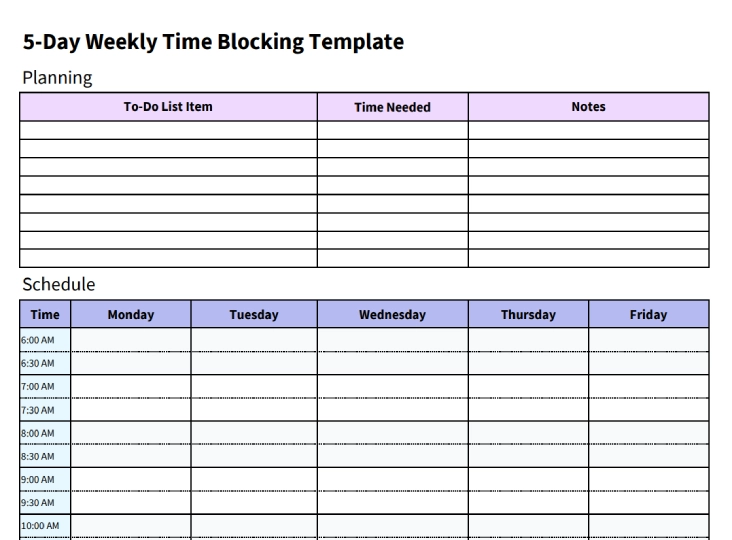
A 5‑day weekly time blocking template helps you organize the workweek with a clearer sense of direction. It highlights only the weekdays, which makes planning easier when your responsibilities stay within a standard Monday-to-Friday routine. This layout gives enough space to arrange key tasks, plan meetings, schedule focus time, and map routines that support steady progress. Having the week displayed in single view format, it becomes easier to figure out how your days connect, identify the busy periods beforehand and build a schedule that fits your natural work rhythms.
Key Features
- Five‑Day Workweek Layout: Keeps the focus on Monday to Friday planning.
- Full‑Day Structure: Supports early starts, regular work hours, and extended shifts.
- Clear Weekday Separation: Helps map tasks across each day without clutter.
- Weekly Priority Section: Highlights the main goals that guide the week.
- Space for Task Grouping: Organizes related activities into simple clusters.
Best For
Organizations with a standard working week, managers responsible for managing the activity of various departments, and those who prefer to have a five-day format to plan their tasks, scheduling focus sessions and ensuring constant output during working days.
7. Bi-Weekly Time Blocking Template
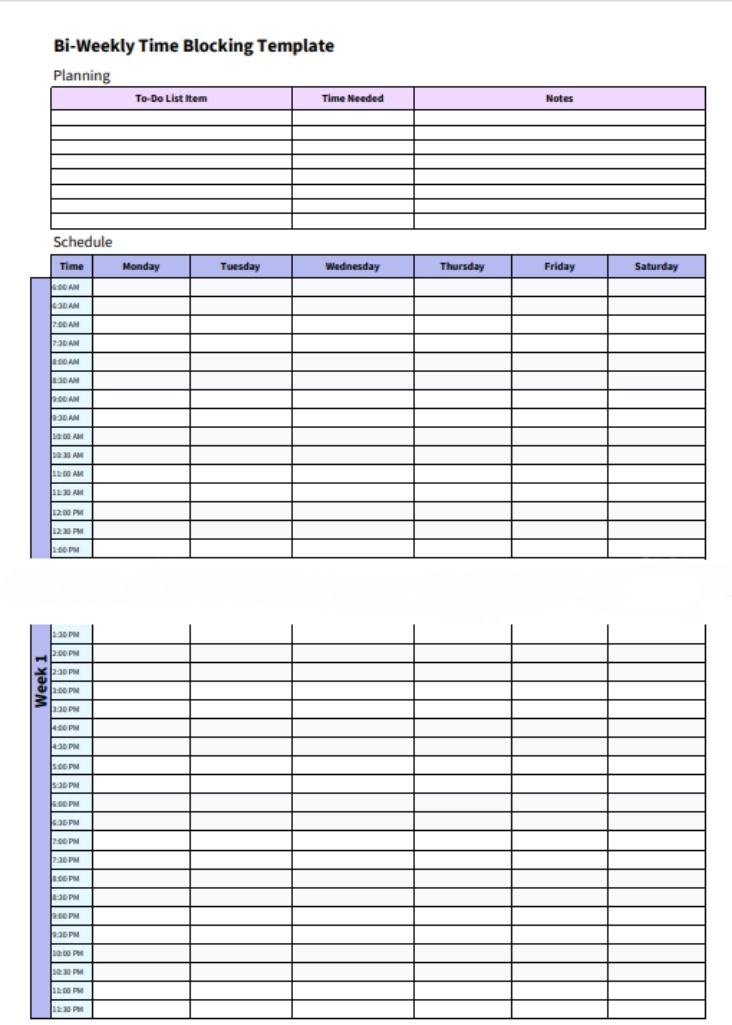
A bi‑weekly time blocking template is useful when your responsibilities stretch across more than a single week, and you want a clearer sense of how your tasks connect over a longer period. Rather than working in short cycles, this format provides the space to work spread over fourteen days, and it is easier to pace deadlines, track routines, and handle repetitive duties. Longer projects feel more manageable when the full two‑week view stays in front of you, helping you adjust your workload and stay consistent without rushing through tasks.
H4: Key Features
- Two‑Week Planning: Shows fourteen days in one clean, continuous layout.
- Daily Task Sections: Plans every day by allocating a specific section to the important activities.
- Long‑Range Scheduling View: Supports planning for tasks that stretch across multiple days.
- Space for Project Checkpoints: Helps track milestones or progress during the two weeks.
- Balanced Time Distribution: Makes it easier to spread work evenly across both weeks.
H4: Best For
This template is suitable for professionals managing mid-length projects, campaign managers who intend to execute the plan, and team leaders who coordinate the deliverables on a weekly basis. It is useful when a one-week view can be too short, whereas a monthly layout can be too large.
8. Monthly Time Blocking Template
Daily and weekly planners assist in managing execution, but they are not always enough to give the whole picture. Working with bigger projects or organizing the work in collaboration with several stakeholders, you require a larger perspective of commitments and deadlines.
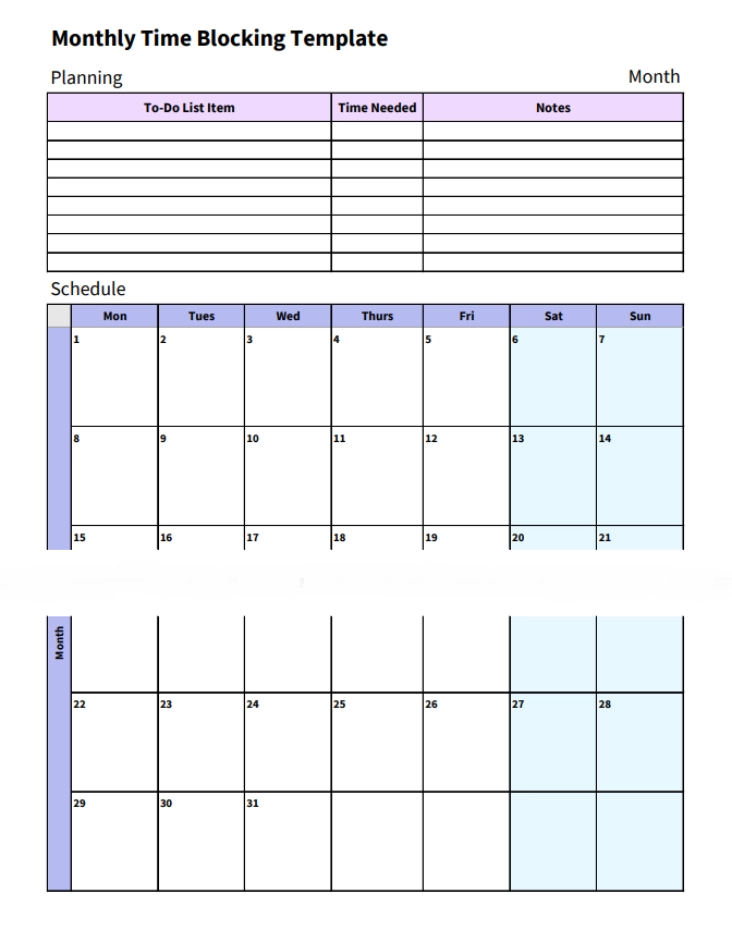
A monthly time blocking template provides that extended perspective. It maps the whole month on a single page, which enables you to set big tasks, milestones and target completion dates in advance. Instead of focusing on hourly detail, this format centers on timing and delivery across weeks.
Key Features
- Full Month View: See all planned work at once for a month.
- Deadline Mapping: Assign tasks to specific calendar dates.
- Milestone Planning: Track major project checkpoints clearly.
- Capacity Awareness: Identify overloaded or open weeks quickly.
- Team Visibility: Communicate timelines across departments.
Best For
Project managers planning large deliverables, operations leads coordinating monthly targets, and teams working around fiscal timelines benefit most from this format. It allows long-term planning in a structured manner when a weekly layout is not as wide as needed.
9. Yearly Time Blocking Template
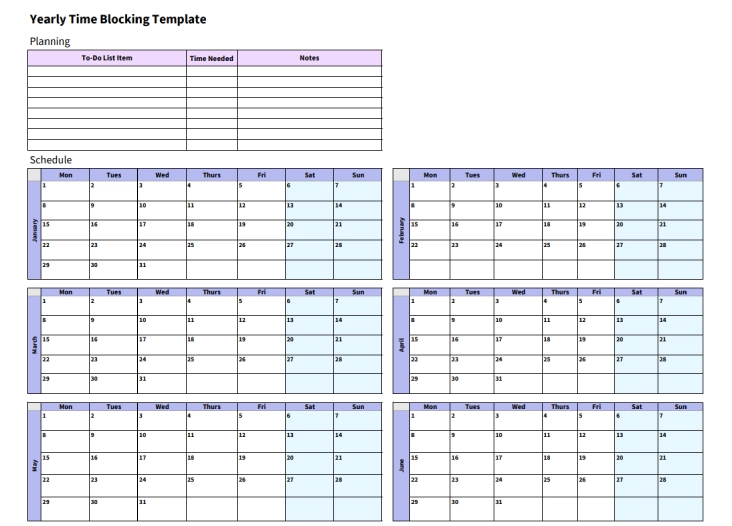
Short-term planners help you manage tasks. A yearly time blocking template helps you stay consistent. This format spreads the entire year across twelve monthly sections, with each day clearly mapped. Instead of focusing on hourly scheduling, you concentrate on daily commitment and long-term progress. You assign tasks, habits, or goals to specific dates and track completion over time.
Key Features
- Twelve-Month Layout: View the full year in one structure.
- Quarterly Planning Sections: Break the year into four quarters to manage long‑term goals in manageable chunks.
- Progress Overview: Review monthly or quarterly summaries to see how far you’ve come and what needs attention.
- Goal Visibility: Connect daily actions to annual targets.
- Annual Milestone Tracking: Set major milestones for the year and check them off as you complete them.
Best For
Professionals building long-term skills, individuals developing consistent work habits, and anyone who values measurable progress across an entire year will benefit from this format. It supports discipline and sustained focus rather than short-term planning cycles.
Still relying on basic time blocking sheets?
Use Time Champ to plan work smarter and stay focused throughout the day.
What Are the Pros and Cons of Time Blocking Templates?
Time blocking templates bring structure to your schedule, but they are not perfect for every situation. While they help you control your time and focus on execution, they can also feel restrictive if you plan too tightly or fail to adjust when priorities change.
It is better to see the areas where it is working well before adopting any template and where it might need some flexibility. The table below outlines the key advantages and limitations to consider.
| Pros of Time Blocking Templates | Cons of Time Blocking Templates |
|---|---|
| Helps you assign time to each task clearly | Can feel rigid when unexpected work appears |
| Reduces constant context switching | Requires realistic time estimation |
| Encourages focused work sessions | May not suit highly unpredictable roles |
| Makes the workload visible before the week starts | Needs regular review to stay accurate |
| Prevents overbooking your calendar | Overplanning can create pressure |
| Supports better deadline management | Takes time to set up consistently |
| Creates accountability for daily execution | Missed blocks can disrupt the schedule flow |
How Does Time Champ Bring Operational Clarity to Your Time Planning?
The time blocking template assists you in scheduling the hours. Time Champ shows you how those hours are actually spent. When you connect your planned schedule with real activity data, you move from assumption to evidence. One of the best capabilities of Time Champ is its ability to break down how your team spends time across focused work, meetings, tools, and tasks. It gives you detailed visibility into employee activity, so you understand exactly where time is going.
Real-time dashboards display attendance patterns, application usage, workload distribution, and utilization trends in one place. Instead of relying on manual updates or scattered reports, you review accurate data that reflects how work flows across your organization.
You also gain structured analytics that support decision-making. You can compare planned time against actual time spent, identify workload imbalance before it affects delivery, and review productivity patterns across projects or teams. When you use Time Champ, you move beyond scheduling tasks and start managing performance with clarity.
Conclusion
When you assign specific time slots to important tasks, you gain clearer control over your workload and reduce the risk of overcommitment. Choosing the right time‑blocking template, whether daily, weekly, monthly, or yearly, helps you plan your schedule based on your responsibilities and deadlines. Review your plan regularly, adjust when priorities change, and stay realistic about your available hours. A structured approach to time allows you to work with focus, maintain consistency, and move forward without unnecessary pressure.
Finding it hard to manage your schedule with manual templates?
Use Time Champ to connect planning with real work insights.

Table of Content
-
 What Are the 9 Types of Time Blocking Templates?
-
What Are the Pros and Cons of Time Blocking Templates?
-
How Does Time Champ Bring Operational Clarity to Your Time Planning?
-
Conclusion
Related Blogs

Get free attorney time tracking templates in Excel, PDF, and Word to streamline billing, improve accuracy, and manage billable hours efficiently.
Thasleem Shaik | March 12, 2025
Get free freelance timesheet templates designed for accurate time tracking, better organization, and effective time management
Mounika Sai | Jan 09, 2024
Explore 3 free time off request form templates in Excel and Word, including simple, employee, and vacation forms for easy leave tracking.
Thasleem Shaik | November 11, 2025
Explore free downloadable employee work log templates, including daily, weekly, and project logs in excel, word, and pdf for efficient time tracking.
Shabana Shaik | November 07, 2025
Download a free consultant time tracking template in Excel, PDF, or Word to streamline your billing and productivity. Track hours efficiently and stay organized.
Thasleem Shaik | May 30, 2025
Download our free Attendance Policy Template to set clear attendance guidelines for your team. Customize it to fit your business and ensure smooth operations.
Sai Keerthi Uppala | Sep 13, 2024


 4.7/5 avg.
Ready to Manage Your Workforce Smarter?
Join our family of 1500+ companies using smart insights to redefine workforces!

Free Trial
No Credit Card Required